

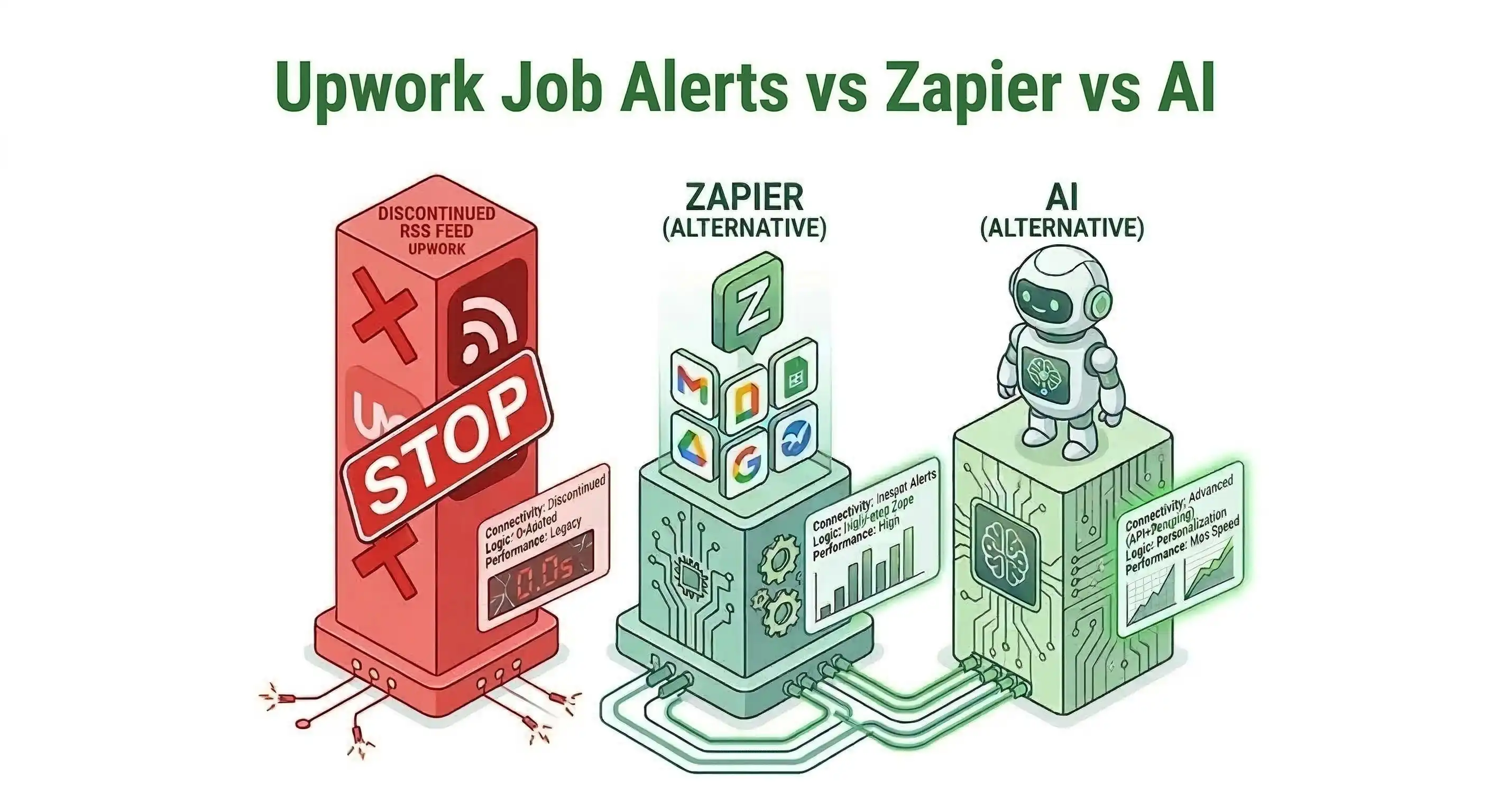
Upwork RSS Feed vs. Zapier vs. AI: The Ultimate 2026 Automation Guide
If you have been trying to set up automated Upwork job alerts using the classic "RSS to Slack" tutorials on YouTube, you have probably realized a frustrating truth: Your workflow is entirely broken.
On August 20, 2024, Upwork officially deprecated and removed native RSS feeds from their platform. They cited that RSS was outdated technology, but the reality is that the removal forced millions of freelancers to either manually refresh the website 100 times a day or pay for Upwork's native "Freelancer Plus" alerts (which are notoriously slow and lack advanced filtering).
Because speed is the single most important metric in the Upwork search algorithm, freelancers have scrambled to find workarounds to beat the 15-minute response window.
The debate is no longer about which RSS reader is best. In 2026, the battle is between DIY Zapier Scrapers and Native AI Smart Trackers. Here is the brutal, technical breakdown of why the legacy methods are dead, the hidden costs of Zapier, and the ultimate zero-latency workflow you must use today.
#1. The Graveyard: Upwork RSS Feeds (Dead)
For years, the oldest trick in the freelance playbook was generating an RSS link from an Upwork saved search and plugging it into a free RSS reader.
- The Speed: Very Slow (15 to 30 minutes latency).
- The Cost: Free.
- The Status: Permanently Discontinued.
Why it died: RSS technology was fundamentally passive and lacked context. Furthermore, Upwork realized that thousands of unoptimized bots were hammering their RSS servers, slowing down the platform, so they killed the feature entirely. If you are trying to find an Upwork RSS link today, stop searching. It no longer exists.
#2. The Fragile DIY: Zapier + Web Scrapers (Delayed & Expensive)
Because the official RSS feed is gone, many tech-savvy freelancers are trying to build their own workarounds. They pay for third-party web scraping tools (like Apify or Phantombuster) to scrape the Upwork search page, and then use Zapier or Make.com to route that scraped data to their Slack or Email.
- The Speed: Delayed (10 to 15 minutes).
- The Cost: $40 to $80+ per month (Scraper Subscription + Zapier Premium).
- The Verdict: A fragile, leaky bucket.
Why it fails: This method is a technical nightmare for two reasons:
- Code Fragility: Whenever Upwork slightly changes their website UI or DOM structure, your scraper immediately breaks. You will spend hours fixing regular expressions instead of doing billable client work.
- The Polling Penalty: Zapier relies on a "polling" system. If you are on a standard Zapier plan, it only checks your scraper for new data every 15 minutes. If a premium client posts a $5,000 contract at 10:01 AM, Zapier doesn't pull the data until 10:15 AM. By the time you write your cover letter, the job has 50 proposals.
You are paying $50+ a month in software subscriptions just to arrive late to the party.
#3. The 2026 Standard: AI Smart Trackers (Zero-Latency)
In the post-RSS era, the top 1% of earners rely on dedicated AI Automation Layers designed specifically for the Upwork ecosystem.
- The Speed: Instant (Zero-Latency).
- The Cost: Typically $29/month.
- The Verdict: The Professional Standard.
Why it wins: Tools like GigUp do not rely on fragile web scrapers or clunky Zapier workflows. GigUp monitors the platform natively and pushes jobs directly to your Telegram or Slack the exact second they are published.
Furthermore, because it is a semantic AI engine, it solves the "junk job" problem. Zapier only understands exact keywords. AI understands intent. You can set plain-English rules like, "Only alert me if the job is over $50/hr, the client is based in the US or UK, and they have a verified payment method with $10k+ spent." Your phone only buzzes when a high-ticket, high-probability job drops.
👉 To see exactly how to set up this real-time system and bypass Zapier entirely, read our master guide on building a complete Upwork Automation Workflow.
#System Comparison: Which is Best for Freelancers?
Here is a side-by-side look at the true cost and speed of trying to automate your Upwork lead generation in 2026.
| Feature | Upwork RSS Feed | Zapier + Web Scraper | GigUp AI Engine |
|---|---|---|---|
| Status | Dead (Removed Aug 2024) | Active (But fragile) | Active & Native |
| Notification Speed | N/A | 15-Minute Delay | Instant (Zero-Latency) |
| Filtering Type | Basic Keywords | Basic Keywords | Semantic AI Intent |
| Setup Time | N/A | 2 to 4 Hours | Under 2 Minutes |
| Monthly Cost | N/A | $40 - $80/mo | $29/mo |
#Frequently Asked Questions (FAQ)
Can I still get an Upwork RSS feed link? No. Upwork officially removed the RSS feed feature on August 20, 2024. Any tutorials claiming to show you how to find this link are outdated.
Why is Zapier so slow with Upwork? Zapier uses a polling mechanism, meaning it checks for new data at set intervals (usually every 15 minutes on standard plans). Since Upwork jobs receive dozens of proposals within the first 10 minutes, Zapier's delay makes it mathematically impossible to be the first applicant.
Do I need to know how to code to use GigUp? No. GigUp was built to replace complex Zapier webhook setups. You simply type the type of job you want in plain English, and GigUp handles the API routing to your Telegram or Slack.
#The Automation Conclusion
If you are serious about your freelance business, trying to hack together Zapier and web scrapers is a massive waste of time. Paying $3.00 in Connects to apply to a job 15 minutes late is a guaranteed way to burn through your budget.
To win in 2026, you need to filter the noise and strike first.
By switching to a dedicated AI-powered engine, you reclaim your billable hours, protect your Connects budget, and mathematically guarantee that your proposal is the first one the client reads.
Stop relying on broken tools and 15-minute delays. Get started with GigUp today and experience the unfair advantage of zero-latency job alerts.