

Let’s do some uncomfortable math.
If you are a professional freelancer charging $50 an hour, and you spend just two hours a day manually refreshing the Upwork feed, reading through irrelevant jobs, analyzing client profiles, and writing proposals from scratch, you are burning $100 a day in unbillable time.
That is $500 a week. $26,000 a year. You aren't just losing money on the jobs you miss; you are actively burning your own inventory (time) trying to find them. In 2026, manual job hunting on Upwork is not a badge of honor—it is a massive competitive disadvantage.
At GigUp, we’ve processed over 730,200+ job postings and sent more than 61,500+ AI-filtered job alerts. We have analyzed the exact daily habits of the top 1% of earners on the platform. They do not sit at their desks hitting CMD + R on the search page. They have engineered an impenetrable Upwork automation workflow that brings the highest-paying, perfect-match jobs directly to their phones.
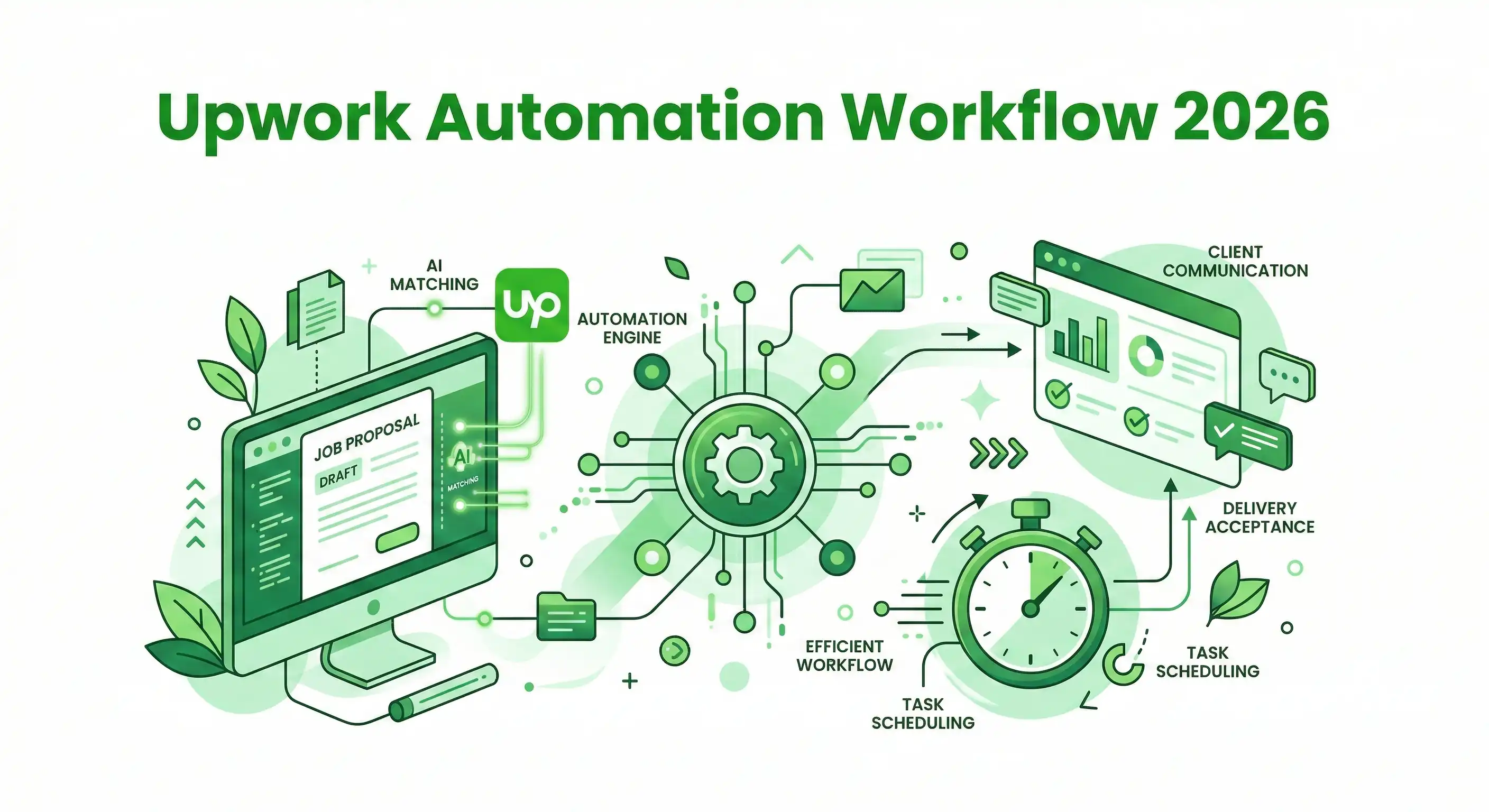
This is the ultimate, data-backed master guide to building your Upwork Automation Workflow in 2026. We are breaking down exactly how to replace manual searching with AI job alerts, Telegram integrations, advanced Smart Trackers, and automated proposal generators.
#Part 1: The Death of the "Manual Refresh" Era
To understand why you absolutely must build an automated workflow, you have to understand the sheer velocity of the 2026 Upwork marketplace.
As we covered extensively in our Algorithm Master Guide, Upwork heavily prioritizes Response Velocity. The freelancers who apply within the first 15 to 30 minutes of a job being posted win the lion's share of contracts.
If you rely on manually checking the feed every three hours, you are constantly arriving to a party that is already over. The client has already received 20 proposals, interviewed 3 people, and is preparing to send an offer. You are essentially paying Connects to be ignored.
#Why Native Upwork Alerts and RSS Feeds Fail You
Many tech-savvy freelancers try to build "duct-tape" automation using Upwork's native saved searches or by piping Upwork RSS feeds into Zapier. Here is why both of these legacy methods break your workflow in 2026:
- The Native Alert Lag: Upwork's native email alerts are batched to save server load. They often arrive 30 to 60 minutes after a job goes live. By the time it hits your inbox, the job already says "20-50 proposals."
- The RSS Feed Brittleness: Upwork frequently updates its site architecture and limits API pulls, frequently breaking custom RSS feeds.
- The "Dumb Keyword" Problem: RSS feeds trigger based on simple string matching. If you track the keyword "React Developer," an RSS feed will ping you for a $5/hour job asking someone to "react to a YouTube video and give developer feedback."
- The "Alert Fatigue" Epidemic: If you set up a basic Zapier integration, your Slack channel will be flooded with hundreds of low-quality jobs. You will experience notification fatigue and eventually mute the channel, completely defeating the purpose of the automation.
#Part 2: The 2026 Solution: Context-Aware AI Automation
To actually reclaim your time, you don't need more alerts. You need smarter alerts. You need a workflow system that acts as an elite executive assistant, filtering out the noise and only interrupting your deep work for high-probability, high-ticket jobs.
This requires a monumental shift from "Keyword Monitoring" to AI Semantic Matching. Here are the three pillars of a professional automation stack.
#Pillar 1: Smart Job Trackers (The AI Filter)
A Smart Tracker doesn't just look for words; it looks for context, intent, and historical data. When you build an Upwork automation workflow in GigUp, you don't just type "Laravel Developer." You use natural language to set your boundaries:
"I want Laravel API development projects, remote work only, with clients who have an established spending history of at least $10,000, a minimum 4.5-star average rating, and a budget of $50+/hour."
Our engine analyzes every new job on Upwork against these exact parameters. It doesn't just scan the job description; it cross-references the client's backend profile data.
#Pillar 2: The "Match Score" Threshold
This is the ultimate defense against Alert Fatigue. GigUp assigns a precise Match Score (0% to 100%) to every job based on your imported Upwork profile.
Instead of getting pinged for everything, you set a mathematical threshold within your workflow: "Only send me an alert if the Match Score is 60% or higher." Now, when your phone buzzes, you know with absolute certainty that the job is worth your time and your Connects.
#Pillar 3: Real-Time Multichannel Routing
Email is where urgency goes to die. In the optimal Upwork automation workflow, we bypass the inbox entirely and route alerts to instant messaging platforms.
- Telegram: Perfect for the solo freelancer who wants instant push notifications on the go, allowing them to apply from their mobile device.
- Slack: Essential for freelance agencies who want to route specific job niches to specific team channels (e.g.,
#upwork-design-leadsvs.#upwork-dev-leads).
#Part 3: The Automated Upwork Workflow: A Minute-by-Minute Breakdown
Here is what your day looks like when you transition from manual hunting to the GigUp automation ecosystem. You are at the gym, at a coffee shop, or doing deep work for a current client. Your phone stays silent for hours. Then, the workflow triggers.
#Minute 0:00 – The Instant Ping
Your phone vibrates with a Telegram notification. Because you set your AI filter strictly to a 75%+ Match Score, you know this isn't spam.
The alert gives you the critical data instantly without opening the Upwork app:
- Job Title: Senior React E-commerce Architect
- Budget: $75/hr (Matches your criteria)
- Client Spend: $45k+ (Verified high-ticket client)
- GigUp Match Score: 92% (High probability of algorithmic ranking)
- Competition: "Posted 3 minutes ago. Less than 5 proposals."
#Minute 0:30 – The Strategic Assessment
You click the alert and are taken directly to the GigUp dashboard. You don't need to read the entire rambling client description because the AI has already extracted and highlighted the core deliverables. You verify the client's 5-star hiring history and decide this is a definitive "Yes."
#Minute 1:00 – The AI Proposal Generator
Writing a proposal from scratch takes 15 to 20 minutes. Copy-pasting a generic template guarantees you will be ignored by the client and de-ranked by the algorithm.
Instead, you click "Generate Proposal" within GigUp. Because your entire Upwork profile, past projects, and portfolio are synced to the platform, the AI doesn't write a generic "Dear Hiring Manager" letter.
It generates a hyper-personalized pitch in 3 seconds:
"Hi! I see you need a React architecture overhaul for your e-commerce checkout flow to reduce cart abandonment. With 5+ years building high-converting Shopify headless builds, and my recent work reducing cart abandonment for [Similar Niche Portfolio Item] by 30%, I can tackle this immediately. I'm available for a quick 10-minute discovery call this afternoon..."
#Minute 1:30 – The "Human-in-the-Loop" Polish
AI is an exoskeleton, not a replacement for your brain. You spend 30 seconds reviewing the generated proposal. You tweak one sentence to add a specific, human insight about the client's industry, and you ensure the tone matches your personal brand.
#Minute 2:00 – Submit and Return to Deep Work
You paste the proposal into Upwork, hit submit, and close the app. You are the 3rd person to apply. The client sees a highly specific, personalized proposal from a highly-rated freelancer within 5 minutes of posting the job.
You just secured a massive competitive advantage while waiting for your coffee order.
#Part 4: Industry-Specific Automation Workflows
Not all freelancing niches operate on the same rules. Your Upwork automation workflow should be customized to how clients in your specific industry hire. Here is how to configure your Smart Trackers based on your niche.
#For Software Developers & Engineers
The Problem: Clients often post massive walls of text with conflicting tech stacks (e.g., asking for a "Frontend Dev" but listing AWS, Python, and SQL as requirements). The Tracker Setup: * Must-Have Keywords: Your specific stack (e.g., "React Native" AND "Firebase").
- Negative Keywords: Exclude frameworks you refuse to work with to keep your Match Score high (e.g., "-Angular", "-PHP").
- Budget Filter: Set strictly to "Fixed Price > $1,000" or "Hourly > $60". Do not let the AI ping you for $50 bug fixes unless that is your specific strategy.
#For Creative Designers & Video Editors
The Problem: Design jobs are highly visual, making text-based filtering tricky. Clients often don't know the name of the style they want. The Tracker Setup:
- Tool-Specific Keywords: "Figma," "After Effects," "Cinema4D."
- Outcome Keywords: "Rebranding," "YouTube Retention," "SaaS UI."
- The Proposal Hack: Set your AI Proposal Generator to always end with a specific call-to-action referencing a visual prototype: "I can sketch a quick wireframe of this concept for you before we start a contract."
#For Copywriters & Marketers
The Problem: The writing market is currently flooded with cheap, AI-generated proposals. The Tracker Setup:
- Niche Authority: Track specific industry verticals, not just the act of writing. (e.g., track "FinTech Copywriter" or "B2B SaaS Email Marketer").
- The Proposal Hack: Program your AI Proposal template to explicitly state that your work is 100% human-edited and passes AI detection, instantly positioning you above the spam applicants.
#Part 5: Advanced Proposal Engineering
The AI Proposal Generator is powerful, but it relies on the quality of the data it pulls from. To get the highest converting proposals, you need to "engineer" your base profile.
#1. The "Case Study" Portfolio Hack
The AI scans your portfolio to pull relevant experience into the proposal. If your portfolio items are just named "Website 1" and "Website 2", the AI has nothing to work with. Rename your portfolio items using the Result-First Format:
- Instead of: "Shopify Store Build"
- Use: "Increased Conversion by 25% for D2C Shopify Brand" Now, when the AI generates a proposal for an e-commerce job within your workflow, it will automatically pull that exact 25% metric into the pitch.
#2. The Custom Instruction Set
In GigUp, you can give the AI "Custom Instructions" for how to write your proposals. Elite Prompt Example: "Always start the proposal by stating the client's core problem in my own words. Never use the phrase 'Dear Hiring Manager'. Keep the tone confident, concise, and professional. Always end with a call to action asking to jump on a quick 5-minute technical validation call."
#Part 6: The Economics of Automation (Manual vs. AI)
Let's look at the hard, undeniable data. Based on our user base of 200+ elite freelancers, here is the difference between the legacy manual workflow and the GigUp automated workflow over a standard 30-day period.
| Metric | Manual Upwork Searching | GigUp AI Automation Workflow |
|---|---|---|
| Time Spent Searching | 45 Hours / Month | 0 Hours (Passive) |
| Time Spent Pitching | 15 Hours / Month | 3 Hours / Month |
| Average Response Time | 2 - 4 Hours | 3 - 5 Minutes |
| Proposal Rejection Rate | ~85% (Due to generic copy/late entry) | ~40% (Highly targeted/first mover) |
| Alert Accuracy | Low (Keyword only) | High (Semantic Profile Match) |
At a $50/hour rate, the manual workflow costs you roughly $3,000 in unbillable time every single month.
A GigUp Pro subscription costs $29/month.
Let that sink in. It is not an expense. It is a mathematical leverage point that pays for itself the moment it saves you one hour of searching, or lands you one contract you would have otherwise slept through. If you are serious about freelancing as a business, resisting an automation workflow is resisting profit.
#Part 7: Scaling Up: Upwork Automation Workflows for Agencies
If you run a freelance agency, the stakes are exponentially higher. You aren't just feeding yourself; you are feeding a team. Relying on a project manager to manually scrape Upwork for leads is an incredible waste of payroll and almost guarantees you will miss the best enterprise jobs.
The GigUp Agency Plan ($99/month) is designed specifically to build an automated, high-volume lead-generation workflow for teams.
#1. Unlimited Niche Tracking & Routing
An agency doesn't just do one thing. With the Agency tier, you can set up 10 distinct Smart Job Trackers.
- Tracker 1 (UI/UX Design): Routes exclusively to your Lead Designer's Slack channel.
- Tracker 2 (Backend Development): Routes directly to your Dev Team's Slack channel.
- Tracker 3 (Enterprise B2B): Routes directly to your Head of Sales for immediate VIP outreach.
#2. Volume Handling (500 Daily Alerts)
While a solo freelancer wants a tight filter of 10-20 jobs a day to protect their Connects, an agency thrives on volume. The Agency tier monitors the entire Upwork firehose, ensuring your sales team has a constant, 24/7 influx of qualified leads to bid on.
#3. Standardized Pitching
When multiple project managers are writing proposals, your brand voice gets diluted. The AI Proposal Generator ensures that every member of your team is pitching with the exact same high-converting, professional tone, referencing the agency's best portfolio pieces every single time, regardless of who is actually hitting "Send."
#Part 8: Common Automation Mistakes to Avoid
As you set up your automated workflow, beware of these three common pitfalls that destroy new users:
- The "Spray and Pray" Fallacy: Do not use the AI Proposal Generator to apply to 100 jobs a day. As we proved, Upwork's algorithm closely tracks your Invite-to-Hire ratio. If you spam applications, your organic visibility will be shadowbanned. Use automation for precision speed, not thoughtless volume.
- Ignoring the Deal-Breakers: When setting up your Smart Trackers, be ruthless with your negative keywords. If you refuse to work with clients who have an unverified payment method, or clients located in specific time zones, tell the AI to filter them out entirely. Protect your attention.
- The Zero-Edit Submission: Never submit an AI-generated proposal without reading it. The AI is brilliant at structure, context, and grammar, but it cannot replicate your unique personality or ask a hyper-specific question about the client's business model. Always spend 30 seconds adding the "Human Touch."
#Conclusion: Reclaim Your Time and Your Revenue
Freelancing is supposed to give you freedom. If you are chained to the Upwork search bar, terrified to look away in case a good job pops up, you haven't built a business—you have built a high-anxiety, low-leverage job.
The freelancers winning in 2026 are using AI to decouple their time from their lead generation. They let the machines monitor the marketplace, filter the noise, and draft the pitch. They reserve their human energy for what actually matters: closing the deal, negotiating the rate, and doing exceptional work.
Stop fighting the algorithm manually. Get started with GigUp today. Connect your profile, set up your first Telegram alert, and experience the unfair advantage of the Upwork Automation Workflow.
GigUp — Work smarter, not harder.