
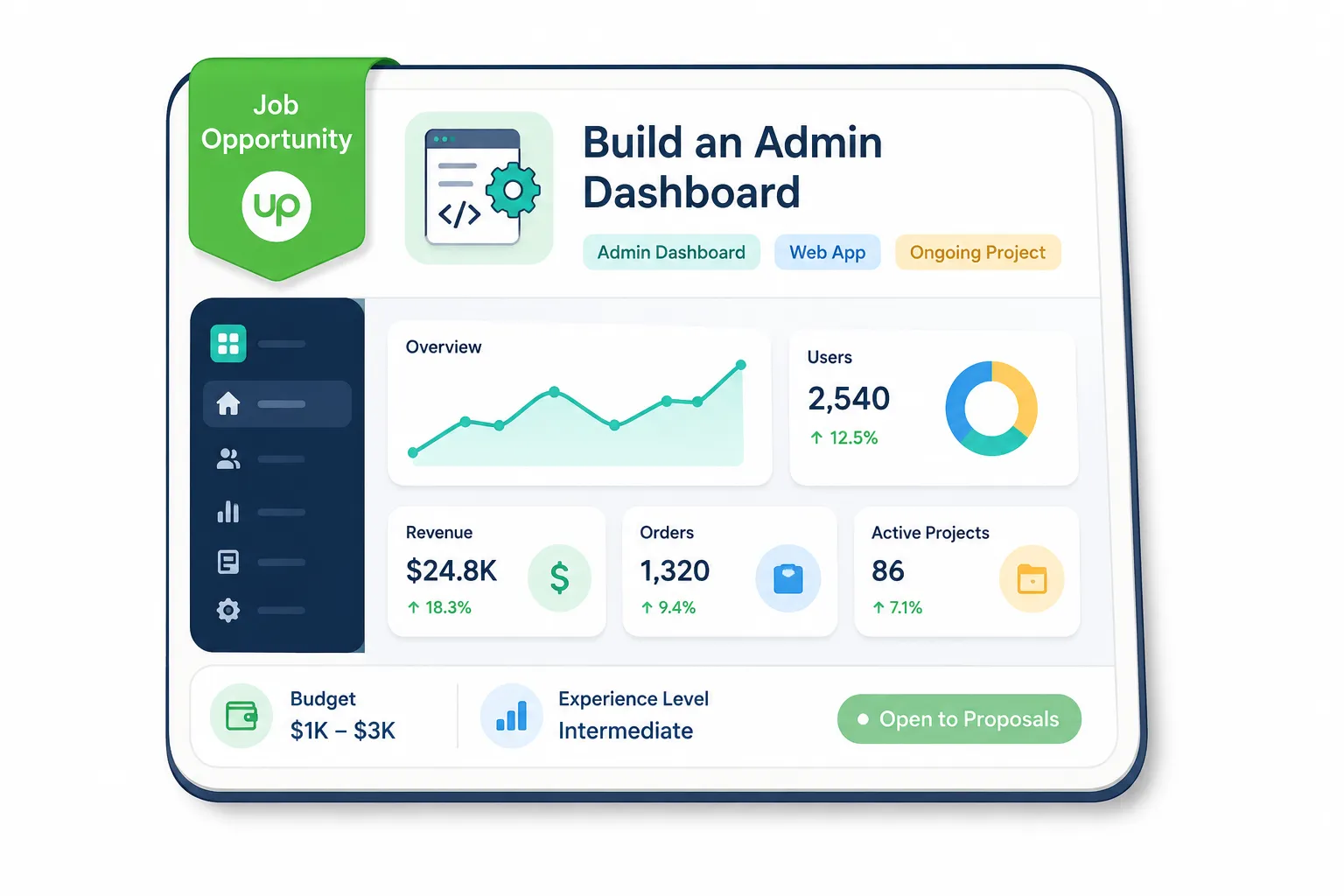
Admin dashboard development projects on Upwork can look simple at first.
A client needs a dashboard. A few tables. Some charts. Maybe user roles, filters, exports, and an admin panel to manage data. You apply, spend Connects, write a proposal, and then realize the job is vague, underpriced, already flooded with proposals, or actually much larger than the client understands.
That is the expensive part.
The problem is not that there are no good admin dashboard projects on Upwork. The problem is that the good ones get buried fast. If you manually scroll the feed once or twice a day, you are usually late. If you apply to every dashboard listing, you waste Connects. If your proposal sounds generic, you blend in with every other Laravel, React, Vue, or full-stack developer saying “I can build this.”
The better approach is simple:
You need a system that finds relevant dashboard jobs quickly, filters weak-fit listings, and helps you send a sharp proposal while the opportunity is still fresh.
This guide will show you how to think about admin dashboard development projects on Upwork, what separates a good listing from a bad one, how to filter faster, and how GigUp can help you build a cleaner workflow for finding and replying to better jobs.
#Why Admin Dashboard Projects Are Worth Taking Seriously
Admin dashboards are not just “backend pages.”
For many clients, the dashboard is the control room of their business. It is where they manage users, track orders, approve requests, view analytics, handle subscriptions, export reports, and make decisions.
That is why these projects can be valuable.
A good admin dashboard project often touches multiple parts of a business:
- Data management
- User permissions
- Internal workflows
- Reporting
- Third-party integrations
- Payment or subscription data
- Team operations
- Customer support tools
- SaaS product management
This means the project can grow.
A client may start with “I need a simple admin panel,” but the real need may be a complete internal tool, a SaaS dashboard, a CRM-style system, or a reporting portal. For a freelancer or small agency, that can turn into repeat work, maintenance, new modules, and long-term support.
But only if you choose the right jobs.
Bad dashboard projects are usually painful because they look small but behave like full products. The client may not have clear requirements. The data structure may be messy. The budget may not match the scope. Or the client may think a serious admin system is just a few UI screens.
That is why job selection matters more than job volume.
#The Real Risk: Applying to Dashboard Jobs Too Late
On Upwork, timing matters.
A strong admin dashboard listing can attract serious developers quickly. If the job has a clear scope, decent budget, verified payment method, and a client with good hiring history, it will not stay quiet for long.
Imagine this:
A client posts a job for a Laravel admin dashboard with user roles, Stripe subscription tracking, and reporting charts. The budget is fair. The client has spent $20k+ on Upwork. They want someone who can start this week.
If you see that job six hours later, it may already have 50+ proposals.
You can still apply, but now you are fighting for attention instead of entering early with a thoughtful response.
That changes everything.
Before, you could be one of the first strong-fit developers.
After, you become one more proposal in a crowded list.
This is where many freelancers lose good projects without realizing it. They blame their proposal. They blame their profile. Sometimes those things are part of the problem. But often, the bigger issue is that they are discovering the right jobs too late.
If you want to improve your Upwork results, your workflow should not start when you open Upwork manually.
It should start before that.
#What Makes a Good Admin Dashboard Project on Upwork?
Not every dashboard job is worth your Connects.
Some jobs are clear, realistic, and likely to turn into paid work. Others are vague, risky, or priced like a small task even though they require product-level thinking.
Here is a practical way to judge them.
| Job Signal | What It Usually Means | How You Should Treat It |
|---|---|---|
| Clear modules listed, like users, roles, reports, invoices, analytics | Client understands the dashboard structure | Strong candidate if budget matches scope |
| Mentions a specific stack like Laravel, Vue, React, Next.js, Django, or Node | Client knows what they want technically | Apply if your profile matches the stack |
| Says “simple admin panel” but includes payments, permissions, reports, and integrations | Scope may be bigger than the client thinks | Ask clarifying questions before committing |
| Existing app needs admin dashboard | Better than starting from zero if codebase is healthy | Mention your ability to review existing structure |
| Needs Figma to dashboard implementation | More UI-to-code focused | Show frontend/admin UI examples |
| Needs dashboards plus API integrations | More complex and valuable | Position around reliability and data flow |
| Very low budget with broad scope | Likely poor-fit project | Skip unless it is strategic for your profile |
| Client asks for “expert” but gives no details | Could be unclear or low-effort | Apply only if client history is strong |
A good listing gives you enough information to write a specific proposal.
A bad listing forces you to guess.
That does not mean you should never apply to vague jobs. Some vague jobs come from good clients who do not know how to explain technical work. But you need a different proposal strategy for those. Instead of pretending everything is clear, your proposal should show how you would clarify the project.
For example:
“I’d first map the dashboard modules, user roles, data sources, and permission rules before estimating the full build. Admin dashboards usually fail when permissions and reporting logic are treated as UI-only work.”
That kind of line tells the client you understand the real project.
#The Skills Clients Usually Want for Admin Dashboard Development
Dashboard jobs vary, but most serious listings need a mix of frontend, backend, database, and product thinking.
The common technical requirements include:
- CRUD operations
- Authentication
- Role-based access control
- Data tables
- Search and filters
- Charts and analytics
- Export to CSV or PDF
- API integrations
- Admin notifications
- Audit logs
- Payment or subscription management
- Responsive dashboard UI
- Database design
- Performance optimization
The stack depends on the client.
Some want Laravel with Vue or Blade. Some want React with Node. Some want Next.js. Some want Django, Rails, or a no-code/low-code internal tool. SaaS clients may care about Stripe, PostHog, Supabase, Firebase, or custom APIs.
But here is the part many freelancers miss:
Clients are not only hiring code.
They are hiring judgment.
A strong admin dashboard freelancer does not just say, “I can build tables and charts.” They explain how they will prevent messy permissions, slow pages, confusing workflows, and broken reports.
That is what makes your proposal feel safer.
#Why Generic Proposals Fail for Dashboard Jobs
Most dashboard proposals sound the same.
They say:
“I have experience building admin dashboards. I can build a responsive dashboard with clean UI, authentication, charts, and database integration. Let’s discuss.”
That is not terrible.
It is just invisible.
The client has probably read ten versions of that already.
For admin dashboard development projects, your proposal should prove three things quickly:
- You understand the business workflow behind the dashboard.
- You can turn unclear requirements into a structured build plan.
- You know the technical risks before they become expensive.
Instead of only listing your stack, connect your experience to the client’s dashboard.
Bad proposal angle:
“I am a full-stack developer with 5 years of experience in React and Laravel.”
Better proposal angle:
“I can help you build this admin dashboard in a way that keeps user roles, reporting data, and future modules clean from the start. For a dashboard like this, I’d first confirm the user types, core actions, data sources, and reporting rules so the build does not turn into messy patchwork later.”
See the difference?
The first one talks about you.
The second one talks about the project.
That is what clients notice.
If you want a deeper proposal workflow, this guide on writing a winning Upwork proposal that gets replies fits naturally with dashboard jobs because the same rule applies: relevance beats volume.
#The Better Workflow: Filter First, Then Apply Fast
Many freelancers work backward.
They open Upwork, search a keyword, scan jobs, open a few tabs, read descriptions, decide what might fit, write proposals, then repeat the whole thing later.
That workflow feels productive, but it leaks time.
A better workflow looks like this:
- Define the exact dashboard jobs you want.
- Track those searches automatically.
- Score listings against your profile and offer.
- Skip weak-fit jobs quickly.
- Apply fast to strong-fit jobs.
- Generate a proposal draft based on the job and your profile.
- Edit lightly, then send.
The point is not to remove your judgment.
The point is to stop wasting your judgment on jobs that were never worth reading closely.
This is where GigUp becomes useful.
GigUp lets you create Upwork job trackers from saved search URLs. You can build one tracker for “admin dashboard development,” another for “Laravel admin panel,” another for “React dashboard,” and another for “SaaS analytics dashboard.” Then GigUp monitors those trackers, compares new jobs against your profile, and gives each listing a match score.
Instead of manually asking, “Is this worth my time?” on every listing, you get a faster first filter.
That matters when timing is part of the game.
#How to Set Up Strong Trackers for Admin Dashboard Jobs
Your tracker quality depends on how specific you are.
If your search is too broad, you will get noise. If it is too narrow, you may miss good projects. The goal is to create a few focused trackers based on the type of dashboard work you actually want.
#Tracker 1: General Admin Dashboard Development
Use this for broad dashboard work.
Good keywords:
- admin dashboard
- admin panel
- internal dashboard
- management dashboard
- web dashboard
This tracker helps you catch clients who describe the project in simple terms.
#Tracker 2: Stack-Specific Dashboard Jobs
Use this when your stack is a major selling point.
Examples:
- Laravel admin dashboard
- Vue admin panel
- React dashboard development
- Next.js admin dashboard
- Django admin dashboard
- Node.js dashboard
This tracker is useful because clients who mention the stack are usually closer to hiring someone technical.
#Tracker 3: SaaS Dashboard Projects
Use this if you want better long-term projects.
Examples:
- SaaS dashboard
- customer dashboard
- analytics dashboard
- subscription dashboard
- Stripe dashboard
SaaS dashboard projects can lead to ongoing work because the dashboard often grows with the product.
#Tracker 4: Internal Tool Development
Some of the best dashboard jobs do not use the word “dashboard.”
They use phrases like:
- internal tool
- operations portal
- CRM
- client portal
- reporting system
- workflow management tool
These jobs can be excellent because the client is usually trying to fix a real business process.
If you are building a serious Upwork system, you may also want to read this guide on building a freelance lead pipeline with GigUp. Admin dashboard jobs fit well into a pipeline because they are repeatable, searchable, and often easy to qualify once you know the signals.
#Use Match Criteria So You Do Not Chase Every Listing
A search keyword finds jobs.
A match system helps you decide which ones deserve attention.
For admin dashboard projects, you can use criteria like:
- Prioritize jobs with clear dashboard modules
- Prefer Laravel, Vue, React, Next.js, or your strongest stack
- Avoid very low-budget listings unless the client has strong history
- Prefer clients who mention existing data, existing app, or SaaS product
- Prioritize jobs with reporting, permissions, and workflows
- Flag vague jobs that may need discovery before fixed pricing
- Skip jobs that sound like unpaid product planning
In GigUp, each tracker can have its own AI prompt and match threshold. That means your Laravel dashboard tracker can judge jobs differently from your SaaS analytics dashboard tracker.
This is important because not all dashboard projects should be filtered the same way.
A small CRUD admin panel might be fine if the budget is quick and clean. A SaaS analytics dashboard needs deeper thinking. An internal tool for a team may need workflow mapping, permissions, and training.
One filter cannot judge all of those equally.
#Admin Dashboard Job Qualification Checklist
Before spending Connects, run the listing through this quick checklist.
You do not need every item to be perfect. But the more boxes a job checks, the more seriously you should consider it.
#Quick Qualification Checklist
- Does the client explain what the dashboard is for?
- Are the main user roles clear?
- Are the core modules listed?
- Is the tech stack mentioned?
- Is there an existing app, API, database, or design?
- Does the budget match the visible scope?
- Does the client have a reasonable hiring history?
- Is the deadline realistic?
- Does the job require business logic, not just UI screens?
- Can you write a specific proposal without guessing everything?
If a job fails most of these, be careful.
It may still be worth applying if the client seems serious, but your proposal should focus on discovery, clarification, and risk reduction rather than promising a fixed result immediately.
#How to Write a Better Proposal for Admin Dashboard Projects
For dashboard jobs, your proposal should be short, specific, and structured.
Do not open with a long biography.
Start with the problem you see.
For example:
“Your dashboard will need more than clean UI if users, reports, and permissions are involved. The main thing I’d focus on first is getting the data structure and role logic right so the dashboard stays easy to extend later.”
That kind of opening does three useful things:
- It shows you read the job.
- It shows you understand dashboard risk.
- It gives the client a reason to trust your process.
Then give a simple plan.
Something like:
- Confirm dashboard modules, user roles, and data sources
- Review existing app/API/database if available
- Build the core dashboard layout and navigation
- Add CRUD flows, filters, charts, and exports
- Test permissions and edge cases before handoff
This is better than saying, “I can do it.”
You are showing how you think.
#Mention Relevant Proof
If you have built dashboards before, do not just say it.
Make the proof concrete:
- “I built an admin panel for managing customers, invoices, and support tickets.”
- “I worked on a SaaS dashboard with Stripe subscription data and role-based access.”
- “I created an internal reporting dashboard with filters, charts, and CSV exports.”
- “I improved a slow dashboard by optimizing database queries and pagination.”
The more specific your proof, the stronger your proposal feels.
#Ask One Smart Question
End with a question that moves the conversation forward.
Good questions include:
- “Do you already have the database/API ready, or should that be part of the build?”
- “How many user roles will need access to the dashboard?”
- “Are the reports based on real-time data or scheduled exports?”
- “Do you already have dashboard designs, or should the UI be created from scratch?”
One smart question is better than five generic ones.
#How GigUp Helps With Proposal Drafting
Speed matters, but speed without relevance is dangerous.
If you use AI to write proposals, the output still needs to sound like you and match the job. A generic AI proposal can hurt you because clients can spot lazy automation quickly.
GigUp helps by generating proposals from both sides of the match:
- The client’s job post
- Your profile, skills, and past projects
That gives the draft more context.
You can also save proposal templates for different dashboard job types. For example, you might use one template for Laravel admin dashboards, another for React SaaS dashboards, and another for internal tools.
Then you can refine the draft with instructions like:
- “Make it shorter.”
- “Focus more on role-based permissions.”
- “Mention my Laravel and Vue experience.”
- “Make the opening more consultative.”
- “Add one question about the existing database.”
The goal is not to let AI replace your judgment.
The goal is to get from blank page to strong first draft faster.
#Agencies Need This Even More Than Solo Freelancers
For solo freelancers, a better job discovery workflow saves time.
For agencies, it protects the whole operation.
If multiple people on your team are scanning Upwork manually, you get duplicated effort, inconsistent decisions, and uneven proposal quality. One person may apply to weak jobs. Another may miss strong ones. A good project may sit unseen because nobody checked the feed at the right time.
That is not a scaling problem.
That is a systems problem.
Admin dashboard projects are especially important for agencies because they often match agency delivery well. You can assign frontend, backend, QA, and project management separately. You can also turn one dashboard project into ongoing maintenance or feature work.
But only if your agency finds the right jobs early and responds with a clear, relevant pitch.
This is why a workflow around trackers, match scores, templates, profiles, and alerts matters. It creates consistency without slowing the team down.
For a broader agency workflow, this guide on scaling Upwork operations without slowing down is a useful next read.
#A Simple Process You Can Start This Week
You do not need a complicated system to improve your dashboard job pipeline.
Start with this:
#Day 1: Define Your Best Dashboard Offer
Write down the dashboard projects you actually want.
Examples:
- Laravel admin dashboards for SaaS apps
- React dashboards for analytics products
- Internal tools for operations teams
- Client portals for service businesses
- CRM-style admin systems for small companies
Do not chase every dashboard job.
Pick the ones where your experience gives you an edge.
#Day 2: Create Focused Searches
Build saved Upwork searches around your best offers.
Use both direct and related terms:
- admin dashboard
- admin panel
- SaaS dashboard
- internal tool
- reporting dashboard
- client portal
- CRM dashboard
Then turn the strongest searches into GigUp trackers.
#Day 3: Set Matching Rules
Tell GigUp what a good job looks like for each tracker.
For example:
“Prioritize admin dashboard jobs that mention Laravel, Vue, SaaS products, user roles, reporting, Stripe, or existing applications. Avoid very small budgets unless the scope is clearly limited.”
This helps the AI judge jobs based on your actual strategy, not just the keyword.
#Day 4: Build Proposal Templates
Create two or three proposal templates.
One for clear dashboard jobs.
One for vague dashboard jobs.
One for SaaS or internal tool projects.
Keep them flexible. The template should give structure, not sound copied.
#Day 5: Review Matches and Improve
After a few days, look at the jobs GigUp surfaces.
Ask:
- Are the matches relevant?
- Are low-quality jobs slipping through?
- Are good jobs being missed?
- Does the match threshold need adjustment?
- Should the tracker prompt be more specific?
Treat your job discovery system like a product.
Improve it as you learn.
#Common Mistakes to Avoid
#Mistake 1: Chasing Every Dashboard Keyword
More jobs does not mean better results.
If your feed is full of weak listings, you will either waste time reviewing them or become numb and miss the strong ones.
Specific trackers are better than broad noise.
#Mistake 2: Ignoring Budget-Scope Mismatch
A dashboard with users, roles, analytics, exports, integrations, and payments is not a tiny task.
If the client’s budget is too low, your proposal should either narrow the scope or skip the job.
Do not let vague optimism turn into unpaid project management.
#Mistake 3: Sending the Same Proposal Everywhere
Dashboard jobs may use similar words, but the real needs are different.
A CRM dashboard is not the same as a SaaS analytics dashboard. A reporting portal is not the same as a user management admin panel.
Your proposal should reflect the exact dashboard type.
#Mistake 4: Only Selling Code
Clients care about the finished business tool.
Talk about workflows, permissions, reliability, reporting accuracy, and ease of use. That is what makes your proposal feel more senior.
#Mistake 5: Waiting Too Long
Good jobs move quickly.
If your discovery process depends on remembering to check Upwork manually, you are already creating delay.
#FAQ
#Are admin dashboard development projects profitable on Upwork?
Yes, they can be. The best ones are usually tied to real business operations, SaaS products, reporting needs, or internal workflows. These projects can lead to ongoing work because dashboards often need new modules, bug fixes, performance improvements, and maintenance.
#What skills should I highlight for admin dashboard jobs?
Highlight the skills that reduce project risk. That usually means authentication, role-based access control, database design, CRUD operations, data tables, filters, charts, exports, API integrations, and clean UI structure. If you have experience with Laravel, Vue, React, Next.js, Django, Node.js, or Stripe, mention it when relevant.
#Should I apply to vague dashboard job posts?
Sometimes. A vague post can still come from a serious client. But your proposal should not pretend the scope is clear. Focus on how you would clarify modules, user roles, data sources, and workflows before estimating the full build.
#How fast should I apply to admin dashboard jobs?
As fast as you can while still being relevant. Early proposals have a better chance of being seen, but speed only helps if your proposal is specific. A fast generic proposal is still weak.
#How can GigUp help with admin dashboard jobs?
GigUp helps you track Upwork searches, score jobs against your profile, filter weak-fit listings, receive alerts, and generate proposal drafts based on the job and your experience. For dashboard projects, that means less manual scrolling and faster replies to jobs that actually fit your skills.
#Final Thought
Admin dashboard development projects can be some of the best opportunities on Upwork, but they are also easy to misread.
The good ones require more than UI skills. They need structure, permissions, clean data flow, reporting logic, and practical product thinking. The bad ones can drain your time, Connects, and energy before you even get a reply.
So the goal is not to apply more.
The goal is to see better jobs sooner, understand them faster, and reply with more relevance than the next freelancer.
That is exactly the workflow GigUp is built for.
Create focused trackers, let AI help filter the noise, review the strongest matches, and generate proposal drafts that connect your experience to the client’s actual dashboard problem.
You still bring the judgment.
GigUp just helps you use it where it matters most.