

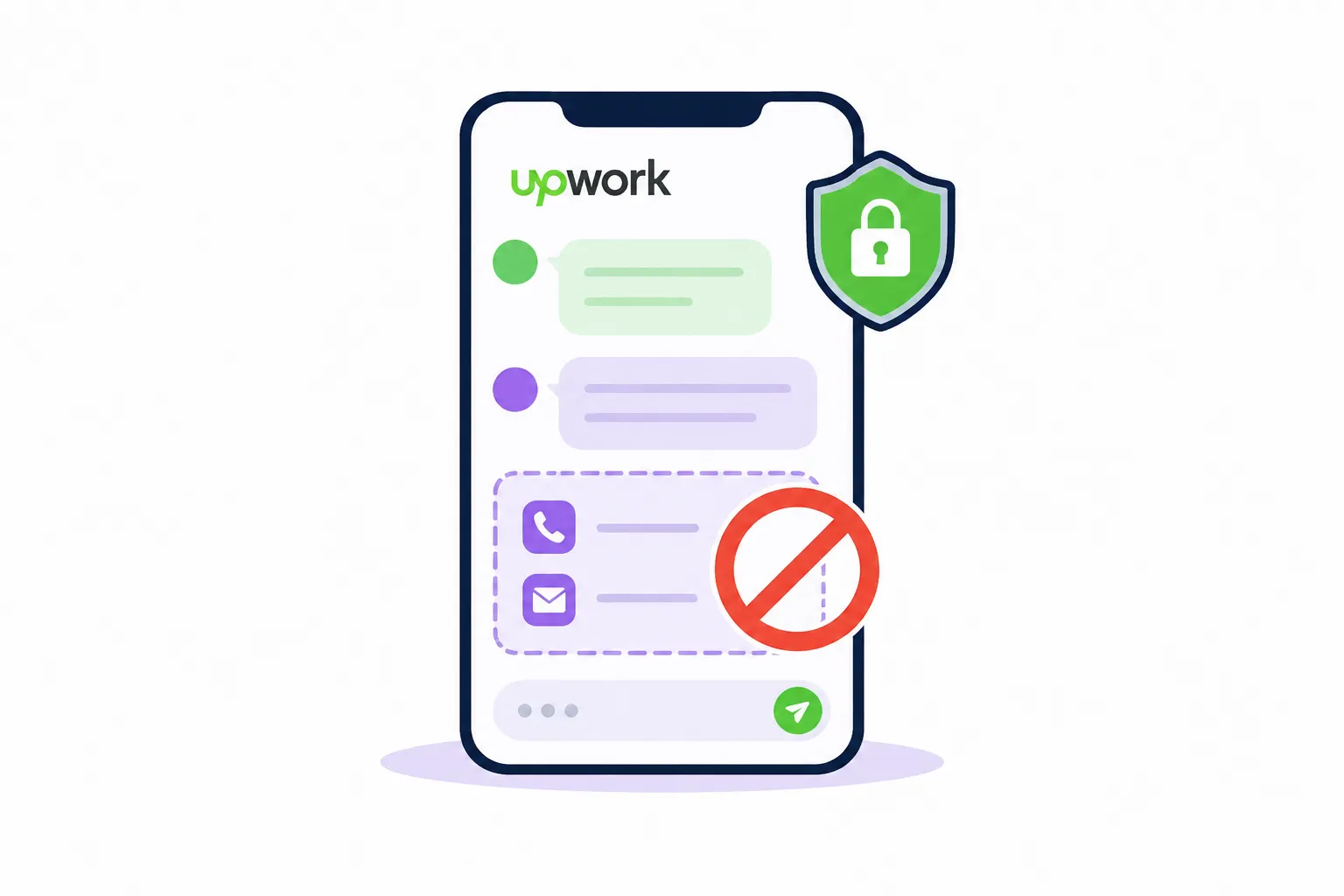
#Upwork Off-Platform Communication Rules Freelancers Need to Know Before a Contract Starts
A good client can turn into a serious problem fast if they ask you to “jump on WhatsApp” before the contract starts.
It sounds harmless. Maybe they want a quick call. Maybe they say email is easier. Maybe they send a Calendly link, a Telegram handle, or a private Slack invite. But on Upwork, communication rules are not just small platform details. Break them at the wrong time and you risk losing trust, losing payment protection, or even damaging your account.
The core principle is simple: before the contract starts, keep the work discussion on Upwork. After the contract is active, you have more room to share contact details, but payment still needs to stay on Upwork unless you follow Upwork’s official conversion process. Upwork’s help pages state that before a contract starts, freelancers and clients should keep discussions about project goals, costs, deadlines, skills, availability, expectations, contract terms, and payments on Upwork. ([Upwork Support][1])
This guide will help you understand what is allowed, what is risky, and what to say when a client tries to move the conversation too early.
#Why Off-Platform Communication Is Such a Big Deal
The biggest mistake freelancers make is treating this like a “chat app preference” issue.
It is not.
For Upwork, off-platform communication before a contract can become a trust and safety issue. If a client moves you to Telegram before hiring you, then asks for free work, sends suspicious files, changes the deal, or later disappears, Upwork has less context inside the platform. That makes the situation harder to review.
For you, the damage is more practical.
You can lose:
- A clean message record
- Proof of what the client agreed to
- Payment protection
- A clear contract trail
- Confidence that the client is serious
- Account safety if the conversation looks like circumvention
Upwork also treats off-platform payment seriously. Its help center says taking a relationship off Upwork to send payment another way without paying the conversion fee is circumvention, and violating the non-circumvention clause can lead to account suspension. ([Upwork Support][2])
That is why your rule should be simple:
Do not let convenience create account risk.
#The Simple Rule: Before Contract, Stay on Upwork
Before a contract starts, keep communication inside Upwork.
That includes the interview.
That includes the scope discussion.
That includes pricing.
That includes timeline.
That includes “just a quick call.”
Upwork provides built-in messages and video calls so clients and freelancers can discuss projects safely without sharing personal contact information. ([Upwork Support][1])
Think of Upwork Messages like the official meeting room before the deal is signed. You can talk. You can ask questions. You can clarify requirements. You can discuss budget. You can decide if the client is a fit.
But you should not move the conversation to private channels before the contract starts.
#Bad move
Sure, message me on WhatsApp and we can discuss the details there.
#Better move
Happy to discuss the project. Until we have an active contract, I prefer to keep all project communication here on Upwork so everything stays clear and compliant.
The second version sounds professional. It does not accuse the client. It does not sound scared. It simply sets a boundary.
That boundary protects your business.
#What Counts as Contact Information?
A lot of freelancers think contact information only means phone number or email.
It is broader than that.
Upwork says contact information means any way a client or freelancer could reach you outside the platform. That includes phone numbers, email addresses, physical addresses, usernames or IDs for tools like Skype, Telegram, Slack, WeChat, and social media handles such as LinkedIn, Twitter, or Instagram. ([Upwork Support][3])
So yes, these can be risky before a contract starts:
- “Here is my email.”
- “Add me on Telegram.”
- “Let’s move to Slack.”
- “Connect with me on LinkedIn.”
- “Book a call through my Calendly.”
- “Here is my WhatsApp.”
- “DM me on X.”
The problem is not the tool itself. The problem is timing.
Before the contract starts, keep the discussion on Upwork.
#What You Can Discuss Before a Contract
You are not blocked from selling yourself.
You can still have a strong interview. You can still ask smart questions. You can still explain your process. You can still clarify scope.
The difference is where the conversation happens.
Before a contract, you can discuss:
| Topic | Safe approach |
|---|---|
| Project goals | Ask the client what outcome they want and what success looks like |
| Scope | Clarify deliverables, features, pages, integrations, revisions, or milestones |
| Budget | Discuss fixed price, hourly budget, or milestone structure inside Upwork |
| Timeline | Ask about deadlines, launch dates, and dependency risks |
| Experience | Explain relevant past work and how you would approach the problem |
| Availability | Confirm when you can start and how much time you can commit |
| Contract details | Discuss milestones, hourly terms, or fixed-price structure inside Upwork |
The goal is not to be silent.
The goal is to keep the buying conversation in the official place until there is a contract.
#When Can You Share Contact Details?
Once the contract is in place, Upwork allows you to share contact information with your client or freelancer in the contract workroom. Upwork also notes that each contract has its own workroom, even if you have multiple contracts with the same person. ([Upwork Support][3])
That means the safer timeline is:
- Discuss the project on Upwork.
- Agree on scope, price, and timeline.
- Start the contract.
- Share the needed contact details in the contract workroom.
- Continue working professionally.
- Keep payments on Upwork.
This is especially useful for real project work.
For example, after the contract starts, it may make sense to use:
- Slack for daily team discussion
- Google Meet for recurring calls
- GitHub for code collaboration
- Figma for design review
- Google Drive for shared documents
- Notion for project notes
That is normal project workflow.
But do not confuse project workflow with payment workflow.
External tools can support the work after the contract starts. They should not replace the Upwork contract or payment trail.
#The Important Exceptions
There are a few cases where contact details may be needed before a contract, but these are narrower than many freelancers think.
Upwork lists exceptions such as Enterprise clients, legal reasons like NDAs or business licenses, background checks, and cases where an email is needed to access systems for scoping, such as repositories, analytics tools, bookkeeping systems, cloud folders, e-signature tools, website hosts, or builders. But Upwork also says that even when contact information is shared for one of these reasons, communication about the job should still stay on Upwork until the contract starts. ([Upwork Support][3])
That last part matters.
Imagine this:
A client says, “I need your email so I can add you to GitHub to inspect the repo.”
That may be reasonable for scoping.
But if they then start discussing price, timeline, deliverables, and payment by email before the contract starts, that becomes risky.
A cleaner response is:
You can add me for access if needed, but let’s keep project discussion and contract terms here on Upwork until the contract is active.
That sentence protects you without killing the deal.
#Payment Is a Separate Rule
Communication is one issue.
Payment is another.
Even after a contract starts, payment should stay on Upwork unless you follow Upwork’s official conversion process. Upwork says moving a relationship outside the platform for payment without paying the conversion fee is circumvention, and that off-platform relationships lose support such as payment protection and dispute resolution. ([Upwork Support][2])
This is where freelancers get trapped.
A client may say:
We can save fees if I pay you directly.
Or:
I will pay by Wise after the first milestone.
Or:
Let’s do the first task outside Upwork and then continue on-platform later.
Do not accept that.
Even if the client sounds friendly, the risk is yours. If payment happens outside Upwork, you lose the structure that protects the project.
#Bad answer
Okay, we can do this one outside Upwork.
#Better answer
I keep all Upwork-sourced contracts and payments on Upwork. It protects both sides and keeps the project record clear.
You do not need to over-explain.
A serious client will understand.
A risky client will push harder. That is useful information.
#What to Say When a Client Asks to Move Off Upwork
Most clients are not trying to get you suspended. Some simply do not know the rule.
So keep your reply calm.
Here are practical scripts you can use.
#When they ask for WhatsApp, Telegram, or Slack before a contract
I’m happy to discuss the project here. Until the contract is active, I keep communication on Upwork so everything stays clear and compliant.
#When they send an email address
Thanks. To keep things simple, I’ll continue the project discussion here on Upwork until we have an active contract.
#When they ask for a video call outside Upwork
I can do a call through Upwork’s built-in meeting tools before the contract. Once the contract starts, we can use the tools that fit the project workflow.
#When they ask to pay directly
I keep payment through Upwork for projects that start on Upwork. It protects both sides and keeps the contract record clean.
#When they say “everyone does it”
I understand it may be common, but I prefer to keep my account safe and follow Upwork’s rules. We can handle everything here until the contract is active.
The tone is important.
Do not sound defensive.
Do not sound like you are lecturing them.
Just set the standard.
#How This Affects Your Proposal Strategy
Off-platform communication rules also change how you should write proposals.
A weak proposal pushes the client to ask for more information elsewhere.
A strong proposal gives enough clarity inside Upwork that the client can continue the conversation there.
Your proposal should make the next step easy without moving off-platform.
Instead of saying:
Let’s discuss on a call. Here is my Calendly.
Say:
I can walk through the scope here and, if useful, we can use Upwork’s call tools before starting the contract.
Instead of saying:
Email me and I’ll send samples.
Say:
I can share relevant examples here, and I’m happy to explain which one is closest to your project.
Instead of saying:
Add me on Slack and I’ll take a look.
Say:
If repo or workspace access is needed for scoping, you can add me for access, but I’ll keep the project discussion here until the contract is active.
That is the better posture.
You sound serious. You sound safe. You sound like someone who knows how to handle client work.
#A Safer Pre-Contract Workflow
Here is the workflow I would use if you want to protect your account and still close good clients.
#Step 1: Qualify the job before applying
Do not waste Connects on messy posts where the client is already asking for Telegram, free work, direct payment, or vague “partnership” terms.
The best protection is avoiding bad-fit jobs before you enter the conversation.
This is where a smarter bidding workflow helps. If you want a deeper system for choosing better jobs before sending proposals, read this guide on building a smarter Upwork bidding strategy.
#Step 2: Keep the proposal clear
Your proposal should answer the client’s likely questions before they ask to leave the platform.
Cover:
- What you understood
- What you would do first
- What you need from them
- A realistic next step
- Why your experience fits
Do not overload it.
Clarity beats length.
#Step 3: Use Upwork for the interview
If the client wants to talk, keep it inside Upwork.
Use messages. Use Upwork’s call options. Ask your questions there.
Your goal is to create a clean record of the scope, expectations, and terms.
#Step 4: Confirm scope before accepting
Before the contract starts, make sure the important pieces are written clearly:
- Deliverables
- Timeline
- Milestones or hourly structure
- Access requirements
- Communication expectations
- Revision boundaries
- Payment terms
If it is not written down, it is easier to misunderstand later.
#Step 5: Share external contact only after contract start
Once the contract is active, share the tools needed to do the work.
But keep payment on Upwork.
That split is the mental model:
External tools can support delivery. Upwork should still protect the business relationship.
#Red Flags Freelancers Should Not Ignore
Some clients reveal risk very early.
Watch for these.
| Client behavior | Why it is risky | Better response |
|---|---|---|
| Asks for Telegram before sharing scope | Often used by scammy or low-accountability clients | Keep discussion on Upwork |
| Wants direct payment | Creates account and nonpayment risk | Decline and keep payment on Upwork |
| Says Upwork fees are too high | May be testing whether you will break rules | Reaffirm your process |
| Sends suspicious files outside Upwork | Security and scam risk | Avoid opening unknown files |
| Pushes unpaid test work off-platform | Can lead to free labor | Use a paid Upwork milestone |
| Refuses to start a contract but wants access | Scope and security risk | Share only what is needed, and keep discussion on Upwork |
| Gets angry when you mention rules | Poor client signal | Walk away |
Good clients respect process.
Bad clients fight process because process limits their ability to blur the deal.
#Where GigUp Fits Into This
The safest freelancers are not just rule-followers. They are selective.
They do not chase every job. They do not burn Connects on weak-fit posts. They do not enter messy conversations just because a client looks urgent.
GigUp helps with that earlier part of the workflow: finding better-fit Upwork jobs faster, scoring them against your profile, and generating more relevant proposals based on the job and your experience. Its workflow is built around custom trackers, AI job matching, proposal generation, multiple profiles, and alerting so freelancers can focus on strong opportunities instead of manually digging through noisy feeds.
That matters for communication rules because the wrong jobs often create the wrong conversations.
If you are applying late, rushing, or sending generic proposals, you are more likely to accept risky behavior because you feel desperate for the reply.
If you are seeing better matches earlier, you can be calmer.
You can say no to bad process.
You can protect your account without feeling like every opportunity is your last one.
#A Simple Checklist Before You Reply
Use this before answering any client who wants to move the conversation somewhere else.
#Before the contract starts
- Keep project discussion on Upwork
- Do not share WhatsApp, Telegram, Slack, Skype, or social handles for normal discussion
- Use Upwork messages or Upwork call tools
- Discuss scope, budget, deadlines, and expectations inside Upwork
- Do not accept direct payment
- Be careful with files, links, and access requests
- If an exception applies, share only what is needed and keep the conversation on Upwork
#After the contract starts
- Share needed project contact details in the contract workroom
- Use external tools if they help delivery
- Keep payment on Upwork
- Keep major scope changes documented
- Use milestones or hourly tracking properly
- Avoid moving future Upwork-sourced work off-platform unless the official conversion process applies
This checklist is not complicated.
That is the point.
Good freelancing gets easier when your rules are simple.
#FAQ
#Can I talk to a client outside Upwork before a contract?
In general, no. Before a contract starts, project discussions should stay on Upwork. Use Upwork Messages and built-in call tools instead.
#Can I share my email before a contract?
Usually, you should not share contact information before a contract starts. Upwork lists some exceptions, such as legal reasons or system access needed for scoping, but even then the project discussion should remain on Upwork until the contract starts. ([Upwork Support][3])
#Can I use Slack after the contract starts?
Yes, once the contract is active, external tools can be used for project workflow. Share the details in the contract workroom and keep payment on Upwork.
#Can I get paid outside Upwork if the client agrees?
No, not for a relationship that started on Upwork unless you follow Upwork’s official conversion process. Off-platform payment can be treated as circumvention and can put your account at risk. ([Upwork Support][2])
#What should I do if a client insists on direct payment?
Decline clearly and keep the payment on Upwork. If the client keeps pushing, treat it as a serious red flag.
#Is sharing a portfolio website allowed?
Upwork says you can share a website you worked on, but you should make sure the client contacts you through Upwork until the contract starts. ([Upwork Support][3])
#Final Takeaway
Upwork’s off-platform communication rules are not there to make your life harder.
They are there to keep the deal traceable.
Before the contract starts, keep the conversation on Upwork. After the contract starts, use the tools needed to deliver the work, but keep payment protected through Upwork.
That one habit can save you from bad clients, messy misunderstandings, and unnecessary account risk.
And if you want fewer risky conversations in the first place, improve the jobs you choose before you apply. GigUp helps you spot stronger-fit Upwork opportunities faster, filter out weak matches, and draft proposals that keep the conversation clear from the first message.