

RAG chatbot development jobs on Upwork can look exciting at first. Then you open the feed and realize the problem: the good jobs disappear fast, the vague jobs waste your Connects, and half the listings sound like the client heard “AI chatbot” yesterday and now wants a full production system for a tiny budget.
That is expensive.
Not just because you might waste Connects. It is expensive because every weak proposal takes attention away from the jobs where you actually have a chance to win. And in a hot category like RAG, timing matters. A strong proposal sent early to the right client is very different from a rushed proposal sent late to a crowded job.
The better approach is simple: stop treating every “AI chatbot” listing the same. RAG jobs need smarter filtering. You need to separate serious business problems from messy experiments, identify the jobs that match your skills, and move quickly when a listing is worth your time.
This guide will help you understand what RAG chatbot development jobs usually look like on Upwork, what makes a job worth applying to, what red flags to avoid, and how to build a faster workflow using GigUp so you do not manually hunt through the feed all day.
#Why RAG Chatbot Jobs Are Different From Basic Chatbot Jobs
A basic chatbot answers simple questions from a fixed script or a general AI model.
A RAG chatbot is different.
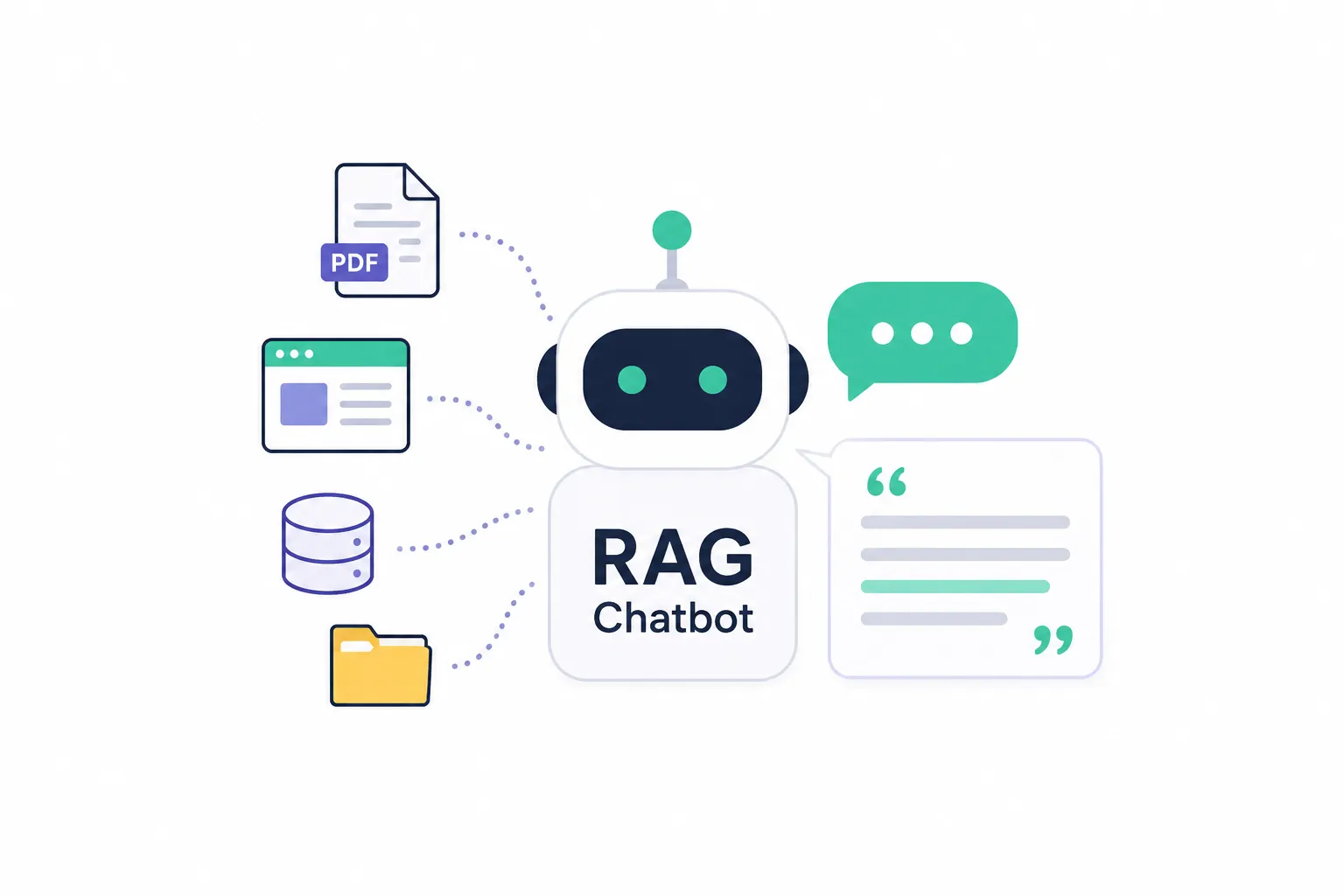
RAG means retrieval-augmented generation. In plain English, it means the chatbot does not only “guess” from the model. It first searches through company documents, knowledge bases, PDFs, websites, databases, or internal content. Then it uses that retrieved information to answer the user.
That makes the project more useful.
It also makes the project more complex.
A serious RAG chatbot job may involve:
- Document ingestion
- Embeddings
- Vector databases
- Search quality tuning
- Prompt design
- Backend API work
- Authentication
- Admin dashboards
- Chat history
- Source citations
- Deployment
- Security and privacy controls
So when a client says, “I need an AI chatbot trained on my documents,” that can mean a quick prototype or a full SaaS-level system.
Your job is to figure out which one it is before spending Connects.
#Why These Jobs Can Be Worth Chasing
RAG chatbot projects can be strong Upwork opportunities because they usually solve real business pain.
Companies have messy information everywhere. Their support team answers the same questions again and again. Their sales team needs product answers quickly. Their employees waste time searching through docs. Their customers cannot find what they need.
A good RAG chatbot can reduce that friction.
That is why clients in this niche often care about outcomes, not just code. They want faster support, better onboarding, internal knowledge search, fewer repeated questions, or a smarter customer experience.
That is good for you.
Outcome-driven projects are easier to position around value. You are not just selling “I can build a chatbot.” You are selling a system that helps people find accurate answers from trusted business content.
But there is a catch.
Because AI is popular, the category also attracts vague buyers. Some clients want “ChatGPT for my business” without understanding scope, data quality, cost, or maintenance. Those projects can become painful fast.
So the real skill is not only building RAG systems.
It is choosing the right RAG jobs.
#What a Good RAG Chatbot Job Looks Like
A strong RAG chatbot job usually has clear signs that the client understands the problem.
They may not know every technical detail. That is fine. Clients do not need to know the difference between Pinecone, Qdrant, Weaviate, pgvector, LangChain, LlamaIndex, OpenAI, Claude, or Gemini.
But they should understand the business use case.
Look for listings where the client explains:
- What the chatbot needs to answer
- What documents or data sources it should use
- Who will use it
- Where it should be deployed
- What success looks like
- Whether they need a prototype or production system
- Any preferred stack or existing app
Here is the difference.
A weak listing says:
Need AI chatbot for my website. Must be smart. Send examples.
A better listing says:
We need a chatbot for our support website that answers questions from product docs, FAQs, and PDF manuals. It should show sources, handle follow-up questions, and escalate when it cannot answer. We already have a React frontend and Laravel backend.
The second job gives you something to work with. You can write a specific proposal. You can explain tradeoffs. You can ask smart questions. You can show that you understand the project beyond buzzwords.
That is where you have an advantage.
#Common Types of RAG Chatbot Development Jobs on Upwork
Not every RAG job is the same. You should know which type you are applying for because each one needs a different proposal angle.
| Job Type | What the Client Usually Wants | Best Proposal Angle |
|---|---|---|
| Support chatbot | Answers customer questions from help docs, FAQs, or product pages | Focus on accuracy, source citations, fallback behavior, and reducing support load |
| Internal knowledge assistant | Helps employees search company documents or SOPs | Focus on secure access, document organization, permissions, and reliable retrieval |
| SaaS chatbot feature | Adds AI chat inside an existing software product | Focus on clean integration, scalable backend, user experience, and product thinking |
| PDF/document chatbot | Lets users upload PDFs and ask questions | Focus on ingestion, chunking, embeddings, citations, and handling large documents |
| E-commerce chatbot | Answers product, order, or policy questions | Focus on product data, customer experience, and safe answer boundaries |
| Legal/finance/medical knowledge bot | Answers from sensitive or regulated documents | Focus on disclaimers, accuracy limits, auditability, and safe escalation |
| Prototype/MVP | Quick proof of concept for testing an idea | Focus on speed, lean scope, and what should be tested first |
This table matters because a generic AI proposal will lose.
If the client needs a support chatbot, talk about reducing repeated tickets and showing source links. If they need an internal assistant, talk about permission-aware retrieval and document freshness. If they need a SaaS feature, talk about architecture and maintainability.
Same skill area.
Different buying reason.
#The Biggest Mistake Freelancers Make With RAG Jobs
The biggest mistake is applying because the keyword matches.
You search “RAG chatbot,” see a job that mentions OpenAI and vector database, and think it is a fit.
That is not enough.
A job can mention every right keyword and still be a bad opportunity. Maybe the budget is unrealistic. Maybe the client wants a production-grade tool but describes it like a weekend task. Maybe the listing has no data source, no target user, and no success metric. Maybe 50 freelancers already applied.
Before you apply, ask a better question:
Does this job match my ability, my positioning, my available proof, and my chance of winning?
That is the real filter.
A beginner RAG developer may do well with PDF chatbot MVPs, internal tools, or small business support bots. An experienced AI agency may focus on SaaS integrations, complex pipelines, multi-tenant systems, or enterprise knowledge assistants.
Both can win.
But not by chasing the same jobs.
#A Simple Checklist Before You Spend Connects
Use this before applying to any RAG chatbot development job.
#Apply if the job has most of these signs
- The client explains the use case clearly
- The data source is mentioned
- The budget matches the expected scope
- The client has some idea of the end user
- The job is recent enough that your proposal can still be seen early
- Your portfolio has something relevant
- You can explain a practical technical path
- The project has a clear first milestone
- The client values accuracy, not just “AI magic”
- You can write a proposal that sounds specific in less than 10 minutes
#Be careful if you see these signs
- “Need ChatGPT clone” with no details
- Tiny budget for a production-grade system
- No mention of data sources
- No clear user or business goal
- The client asks for many tools without explaining why
- The project sounds like research, product strategy, backend development, frontend design, DevOps, and support all in one small task
- The listing is already crowded
- The client expects perfect answers from messy documents
- The project involves sensitive data but no security discussion
- You cannot quickly explain why you are a good fit
This is where many freelancers lose money. They apply because the job is exciting, not because it is winnable.
#How to Read a RAG Job Description Like an Operator
When you open a listing, do not read it like a developer first.
Read it like an operator.
You are trying to understand risk, urgency, budget quality, and decision clarity.
Ask yourself:
#What business problem is behind this chatbot?
Maybe they want fewer support tickets. Maybe they want a lead qualification assistant. Maybe they want employees to search SOPs faster. Maybe they want to add an AI feature to their SaaS product.
The business problem tells you what to emphasize.
#What content will the chatbot use?
Docs, PDFs, Notion pages, website content, database rows, help center articles, product catalog, CRM data, or user-uploaded files all require different handling.
Bad data creates bad answers.
If the client does not mention content quality, your proposal should raise it calmly.
#How accurate does this need to be?
A chatbot for a hobby website and a chatbot answering legal policy questions are not the same risk level.
For higher-risk use cases, you should mention source citations, fallback behavior, answer confidence, and human review.
#Is this an MVP or production build?
This matters a lot.
An MVP can be fast: upload documents, create embeddings, build a simple chat UI, test answer quality.
A production system needs more: authentication, logging, admin controls, monitoring, error handling, permissions, cost controls, and deployment planning.
If the client mixes MVP budget with production expectations, slow down.
#What to Put in Your Upwork Proposal
A strong RAG chatbot proposal should not begin with a long biography.
Start with proof that you understand the project.
For example:
You are not just looking for a chatbot. You need a system that can retrieve the right information from your documents, answer clearly, and show where the answer came from so users can trust it.
That opening is better than:
Hi, I am an AI developer with 5 years of experience.
The client already assumes freelancers have experience. What they want to know is whether you understand their problem.
A good proposal should include:
- A specific read of their use case
- A simple technical approach
- One or two relevant examples from your past work
- Smart questions that reveal scope
- A clear first step
- A calm tone that avoids hype
Keep it practical.
Do not promise perfect AI answers. Promise a reliable system design: good retrieval, clear sources, tested prompts, fallback handling, and iteration based on real questions.
#Before and After: Weak Proposal vs Better Proposal
Here is the difference in plain terms.
#Weak proposal
I can build your AI chatbot using OpenAI, LangChain, Pinecone, and React. I have experience in AI and can start now. Let’s discuss.
This is not terrible, but it is forgettable. It lists tools without showing judgment.
#Better proposal
Your main challenge is not just connecting OpenAI to a chat UI. The important part is making sure the bot retrieves the right content from your documents, answers with sources, and knows when not to guess. I would start with a small RAG prototype using your highest-value documents, test it against real user questions, then improve chunking, prompts, and retrieval before turning it into a production feature.
This sounds like someone who has built or at least thought through the real project.
That is the goal.
#How to Build a Faster RAG Job Discovery Workflow
Manual job hunting breaks down when you are in a competitive niche.
You refresh Upwork. You scan titles. You open listings. You copy notes. You compare budgets. You decide whether to apply. Then you write a proposal from scratch.
Do that ten times and your quality drops.
A better workflow looks like this:
- Create focused searches for RAG, AI chatbot, document chatbot, knowledge base chatbot, LangChain, vector database, and AI assistant jobs.
- Filter by budget, client history, recency, and skill fit.
- Score each job based on your profile and proof.
- Apply quickly to strong-fit jobs.
- Skip weak-fit jobs without guilt.
- Use a proposal template that adapts to the client’s actual use case.
- Track what gets replies and improve your approach.
This is the kind of workflow where GigUp fits naturally.
GigUp lets you create Upwork job trackers, attach your freelancer or agency profile, set match thresholds, and use AI to score new jobs against your actual skills. Instead of manually checking every RAG-related listing, you can focus on the jobs that are more likely to be worth your Connects.
For a broader bidding system, this connects well with building a repeatable SOP. You can use this guide on better Upwork bidding SOPs as a next step if your process still feels random.
#How GigUp Helps With RAG Chatbot Job Hunting
GigUp is useful for RAG chatbot freelancers because this niche depends on speed and relevance.
A strong RAG job may only stay attractive for a short window. Once dozens of proposals come in, the client has less reason to read every new one carefully.
GigUp helps you tighten that window.
#Smart trackers for RAG searches
You can create trackers for different job angles, such as:
- RAG chatbot development
- AI customer support chatbot
- LangChain developer
- OpenAI chatbot
- Vector database integration
- PDF chatbot
- Knowledge base AI assistant
- SaaS AI feature development
Each tracker can have its own AI prompt. That matters because you may not want the same filter for every job.
For example, one tracker might prioritize production SaaS work. Another might look for fast MVP builds. Another might focus only on support chatbot projects with strong budgets.
#AI match scoring
GigUp compares each job against your profile and gives it a relevance score.
That helps you avoid the trap of applying to anything that says “AI.”
A job might be a poor fit because it needs a stack you do not use. Another might be a strong fit because it matches your past project type, even if the title is not perfect.
The point is simple: you should spend your best attention on the jobs with the strongest fit.
#Proposal generation that starts from context
Once you find a strong RAG job, GigUp can help draft a proposal using your profile, skills, and past projects.
That does not mean you should blindly paste AI text.
You should still review it.
But it gives you a faster first draft. Instead of starting from an empty box, you start from a job-aware proposal that you can sharpen with your own judgment.
For RAG work, that speed matters because good timing can improve visibility.
#Recommended Tracker Setup for RAG Chatbot Jobs
Here is a practical setup you can use inside GigUp.
| Tracker Name | Search Focus | AI Prompt Direction | Match Threshold |
|---|---|---|---|
| RAG Chatbot MVPs | Small prototypes, PDF chatbots, document Q&A tools | Prioritize clear MVP scope, realistic budget, and fast delivery potential | 60%+ |
| Production AI Chatbots | SaaS features, customer support bots, internal knowledge assistants | Prioritize serious clients, existing products, clear business use case, and long-term potential | 70%+ |
| LangChain / LlamaIndex Jobs | Technical AI pipeline work | Prioritize jobs needing retrieval, embeddings, vector DBs, backend integration, and evaluation | 65%+ |
| AI Support Automation | Helpdesk, FAQ, customer service bots | Prioritize support reduction, knowledge base quality, source citations, and deployment clarity | 60%+ |
| High-Value AI Agency Leads | Larger builds for agencies | Prioritize bigger budgets, multi-step scope, ongoing maintenance, and team-friendly projects | 75%+ |
This setup keeps your feed clean.
You are not just searching one keyword and hoping Upwork shows you something good. You are building separate lanes for different opportunity types.
That makes your decisions faster.
#What Skills Should You Highlight for RAG Chatbot Jobs?
Do not overload your profile with every AI keyword you know.
Clients need confidence, not a dictionary.
For RAG chatbot jobs, highlight skills in groups.
#Core AI and retrieval skills
Mention embeddings, vector search, chunking, prompt design, retrieval tuning, and source-based answers.
#Backend and integration skills
Mention API development, authentication, databases, queues, file upload handling, webhooks, and deployment.
#Frontend and user experience skills
Mention chat UI, conversation history, loading states, admin panels, feedback buttons, and source display.
#Product judgment
This is underrated.
A client may not know what to build first. If you can explain the difference between a prototype, a pilot, and a production system, you will sound safer to hire.
That is especially useful for agencies and consultants. You are not only selling implementation. You are reducing decision risk.
#How to Avoid Bad RAG Projects
Some RAG jobs look good until you imagine actually working on them.
Here are the common traps.
#The client wants the chatbot to “learn everything”
This usually means they have not thought about data structure, document quality, or answer boundaries.
Better framing: the chatbot should retrieve from selected trusted sources and answer within a defined scope.
#The client wants production quality with prototype budget
This is common.
A prototype can prove the idea. Production needs security, monitoring, admin tools, testing, and maintenance. Do not let those become invisible tasks.
#The data is messy and the client does not care
RAG quality depends heavily on content quality.
If the documents are outdated, duplicated, inconsistent, or poorly structured, the bot will struggle. You should mention a content review or test set early.
#The job has no clear user
A chatbot for “everyone” usually becomes a chatbot for no one.
You need to know whether it is for customers, employees, sales reps, students, patients, support agents, or admins.
#The client expects AI to replace judgment
This is risky in legal, financial, medical, or compliance-heavy use cases.
For sensitive topics, the chatbot should assist, cite sources, and escalate. It should not pretend to be a final authority.
#A Better Proposal Structure for RAG Chatbot Jobs
Use this structure when you apply.
#1. Start with the real project
Show that you understand the problem.
Example:
The main challenge here is making the chatbot answer from your own documents reliably, not just generating generic AI responses.
#2. Explain your approach simply
Keep it short.
Example:
I would start by organizing the documents, creating embeddings, connecting them to a vector search layer, then testing the bot with real questions before improving retrieval and prompts.
#3. Mention proof
Use one relevant example. Do not dump your whole portfolio.
Example:
I have worked on similar AI assistant flows where the key requirement was accurate answers with source references and a clean user experience.
#4. Ask smart questions
Good questions make you look experienced.
Ask things like:
- What document types should the chatbot use first?
- Should answers include source links or document references?
- Will users need login-based access?
- Is this an MVP or production release?
- Do you already have a preferred stack?
#5. Suggest a first milestone
This reduces risk for the client.
Example:
A good first milestone would be a working prototype using a small set of documents and 20–30 test questions. That will show whether the retrieval quality is strong before expanding the system.
This structure works because it is specific without being overwhelming.
#How Agencies Should Approach RAG Chatbot Jobs
Agencies should not apply like solo developers with more people.
That is a mistake.
If you are an agency, your advantage is process. You can offer discovery, architecture, implementation, testing, deployment, and ongoing improvement.
But only if you explain it clearly.
A strong agency pitch for RAG jobs should focus on:
- Clear scope breakdown
- Dedicated roles
- Faster delivery without chaos
- QA and testing
- Documentation
- Long-term maintenance
- Client communication rhythm
Clients hiring for RAG systems often worry about uncertainty. An agency can win by making the project feel controlled.
This is also why agencies need better filtering. A messy low-budget RAG job can consume too much team time. If you are scaling your Upwork operations, read this guide on how to scale Upwork operations without slowing down and turn your bidding into a system, not a daily scramble.
#How Solo Freelancers Can Compete
Solo freelancers can absolutely win RAG chatbot jobs.
You just need to avoid competing as “another AI developer.”
Your edge is clarity.
Many clients are overwhelmed by AI tools. They do not know what stack to choose. They do not know if they need LangChain. They do not know what a vector database does. They do not know why the chatbot gives wrong answers.
If you can explain the path in simple terms, you become easier to trust.
You can say:
First, we prove the bot can answer accurately from your best documents. Then we improve retrieval quality. Then we build the production features around it.
That sounds safer than throwing ten AI buzzwords into a proposal.
For solo freelancers, the best RAG jobs are often:
- Small MVPs
- PDF chatbots
- Website knowledge bots
- Support FAQ bots
- Internal document assistants
- AI feature prototypes for startups
These can lead to ongoing work if you handle the first version well.
#The Best Time to Apply to RAG Chatbot Jobs
The best time is when the listing is still fresh and you can send a specific proposal.
Being early with a bad proposal does not help.
Being late with a great proposal is harder.
You want both: speed and relevance.
That is why manual hunting is a weak system. You may find a job three hours late, read it while tired, send a generic proposal, and then wonder why the client did not reply.
A better system alerts you when strong-fit jobs appear, helps you understand why they match, and gives you a head start on the proposal.
That is the practical advantage of using GigUp for this niche.
It is not about applying to more jobs.
It is about finding better jobs sooner.
#A Practical Daily Workflow
Here is a simple daily workflow for RAG chatbot development jobs.
#Morning
Check your best matches first. Do not start with the full Upwork feed.
Review jobs above your match threshold. Open only the ones that have clear scope, decent budget, and strong fit.
#Midday
Send proposals to the highest-fit jobs while they are still fresh.
Use a reusable structure, but customize the opening, technical approach, and questions for each listing.
#Evening
Review what you skipped.
This is useful. If you keep skipping jobs because they ask for a skill you do not have, that may reveal a learning opportunity. If you keep seeing bad budgets in one search, adjust the tracker.
#Weekly
Look at reply patterns.
Which job types get responses? Which proposal hooks work? Which budgets are worth chasing? Which keywords bring noise?
This is how you improve.
Freelancers who win consistently do not just work harder. They refine their system.
#FAQ
#Are RAG chatbot development jobs good for beginners?
They can be, but beginners should start with smaller scopes. PDF chatbot MVPs, simple knowledge base bots, and internal document Q&A tools are more realistic than complex SaaS or enterprise systems. The key is to be honest about scope and avoid promising production-grade architecture if you have only built demos.
#What should I include in a RAG chatbot proposal?
Start by showing that you understand the client’s use case. Then explain your approach in simple terms: documents, embeddings, retrieval, answer generation, source citations, testing, and deployment. Add one relevant proof point and ask a few smart scope questions.
#Should I mention specific tools like LangChain, Pinecone, or OpenAI?
Yes, but do not lead with tools unless the client specifically asks for them. Clients care more about reliable answers, clean integration, and business results. Tools should support your plan, not replace your explanation.
#How do I know if a RAG job is too risky?
Be careful when the client has no clear data source, no user type, unrealistic budget, sensitive information, or vague expectations like “the bot should know everything.” Those jobs need clarification before you apply or accept.
#Can GigUp help me find RAG chatbot jobs faster?
Yes. GigUp lets you create Upwork trackers for RAG and AI chatbot searches, score jobs against your profile, set match thresholds, receive alerts, and generate proposal drafts faster. That helps you focus on stronger-fit jobs instead of manually scanning the feed all day.
#Final Thought
RAG chatbot development jobs on Upwork can be very good opportunities, but only if you treat them with discipline.
Do not chase every AI listing.
Look for clear business problems, realistic scope, decent timing, and a strong match with your skills. Build a workflow that helps you move quickly without becoming careless.
GigUp helps with that exact workflow: smarter job discovery, AI match scoring, alerts, and proposal drafting built around your actual profile.
When the right RAG chatbot job appears, you should not be buried in the feed trying to find it.
You should already be ready to apply.