

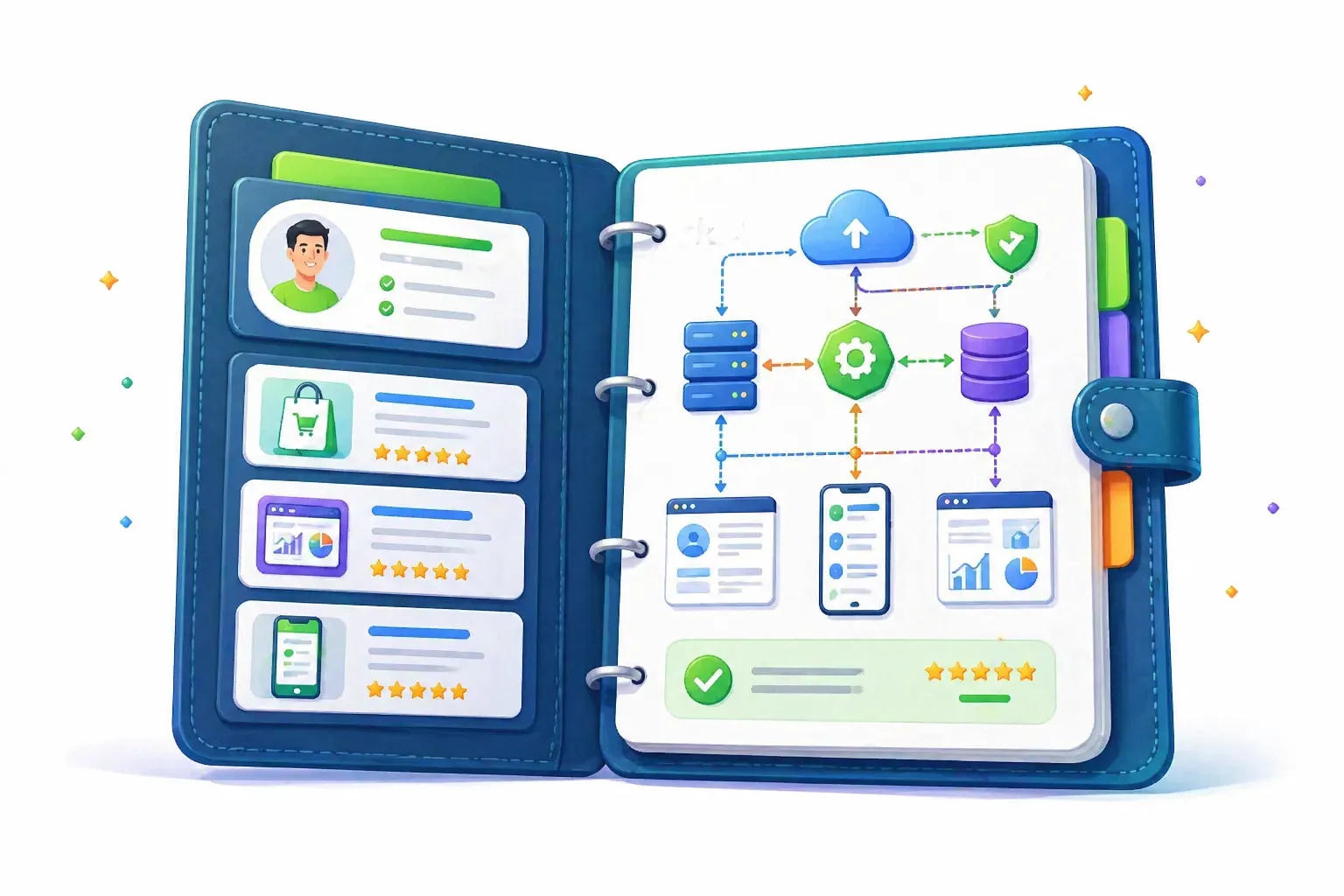
How to Build a Technical Architecture Portfolio for Freelance Clients
Most technical freelancers show clients code, screenshots, or a list of tools they know.
That is not always enough.
When a client is hiring for architecture work, backend systems, SaaS builds, infrastructure, integrations, scaling, migrations, or complex product development, they are not only asking, “Can this person code?”
They are asking something more expensive:
Can I trust this person with decisions that may affect my product for months or years?
That is why a technical architecture portfolio matters. It does not just prove that you can build. It proves that you can think, simplify, explain tradeoffs, and make decisions like someone who understands business risk.
In this article, you will learn how to build a technical architecture portfolio for freelance clients that feels credible, practical, and easy to understand. You will also learn what to include, what to avoid, and how to use that portfolio inside your Upwork profile, proposals, and client conversations.
#The Real Problem: Clients Cannot See Your Thinking
A normal developer portfolio often shows final results.
A dashboard screenshot. A landing page. A GitHub repo. A mobile app screen. A short project description.
That works for some projects.
But architecture work is different.
Architecture is mostly invisible after the project is done. The best decisions often look boring because they prevent future problems. Good database design, clean service boundaries, reliable background jobs, safe deployment flows, and simple integration patterns do not always look impressive in a screenshot.
So clients have a hard time judging you.
They may see that you know Laravel, Node, AWS, Docker, React, PostgreSQL, or microservices. But they still do not know whether you can choose the right structure for their actual business.
That creates a trust gap.
And on platforms like Upwork, trust gaps cost you replies, interviews, and serious projects.
#Why a Technical Architecture Portfolio Matters
Clients do not hire architecture help because everything is already simple.
They usually hire because something feels risky.
Maybe their app is slowing down. Maybe the previous developer left messy code. Maybe they need to rebuild an MVP into a real SaaS product. Maybe they are scared of choosing the wrong stack. Maybe they want someone who can handle backend, infrastructure, APIs, security, and future scaling without turning everything into a complicated mess.
A technical architecture portfolio helps because it makes your judgment visible.
It shows:
- how you break down messy systems
- how you think about tradeoffs
- how you choose tools
- how you reduce risk
- how you document decisions
- how you explain complex ideas clearly
- how you connect technical choices to business outcomes
That last part matters most.
A strong architecture portfolio is not a museum of diagrams. It is proof that you can make technical decisions that protect the client’s time, budget, product, and future options.
#What Clients Actually Want to See
Clients rarely care about architecture in the abstract.
They care about what architecture does for them.
A founder does not wake up thinking, “I need a clean event-driven architecture.” They think, “My app breaks when users upload files.”
A SaaS owner does not think, “I need better service boundaries.” They think, “Every small change creates bugs in unrelated parts of the product.”
A non-technical client does not think, “I need a better queue worker setup.” They think, “Reports take too long and customers are complaining.”
Your portfolio should translate architecture into business value.
Bad portfolio framing looks like this:
Built a microservices architecture using Docker, Redis, PostgreSQL, and Kubernetes.
Better portfolio framing looks like this:
Redesigned a slow reporting workflow by moving heavy tasks into background jobs, separating reporting logic from the main app, and reducing user-facing wait time from minutes to a smooth async flow.
The second version tells the client why the work mattered.
That is the difference.
#The Simple Mental Model: Show the Decision, Not Just the Deliverable
A technical architecture portfolio should answer four questions for each project:
- What problem existed?
- What decision did you make?
- Why did you choose that approach?
- What improved because of it?
That is the core structure.
Think of each portfolio item as a short case study, not a project gallery.
You are not saying, “Look what I built.”
You are saying, “Here is how I handled a real technical problem.”
That shift makes you look more senior immediately.
#What to Include in a Technical Architecture Portfolio
You do not need dozens of projects.
Three to five strong case studies can be better than twenty shallow items.
Each case study should be clear enough for a non-technical founder and credible enough for a technical reviewer.
#1. A Clear Project Context
Start with the business situation.
Keep it short.
Example:
A bootstrapped SaaS product needed to support multiple customer workspaces, role-based permissions, billing limits, and usage tracking without rebuilding the whole app later.
This tells the client what kind of problem you solved.
Do not start with tools.
Start with the situation.
#2. The Architecture Challenge
Explain what made the project difficult.
Was the system slow? Was the database structure unclear? Were integrations unreliable? Was the app hard to scale? Was the client unsure which stack to choose? Was the MVP becoming too messy to maintain?
Example:
The main challenge was designing the system so the product could launch quickly, but still support future teams, subscriptions, and workspace-level permissions.
This shows judgment.
You are not just a person who writes code. You understand constraints.
#3. Your Technical Approach
Now explain what you designed or changed.
Use simple language first. Then add technical details.
Example:
I separated the system into workspace, user, billing, and permission layers. The goal was to avoid hardcoding business rules across the app. I also introduced background jobs for usage processing and designed the database so future plan limits could be added without rewriting core models.
Then you can mention tools:
Stack: Laravel, Vue, PostgreSQL, Redis queues, Stripe billing, Docker-based deployment.
This order matters.
Problem first. Decision second. Tools third.
#4. Diagrams or Simple Visuals
Architecture portfolios need visuals, but they do not need to be fancy.
A simple diagram can explain more than a long paragraph.
Useful visuals include:
- system overview diagram
- database relationship sketch
- request flow diagram
- API integration map
- deployment flow
- before/after architecture
- user permission model
- queue/background job flow
Keep diagrams clean.
A client should understand the main idea in ten seconds.
#5. Tradeoffs You Considered
This is where you separate yourself from average freelancers.
Good architecture is not about choosing the most advanced option. It is about choosing the right option for the project stage.
Show the tradeoffs.
Example:
I considered splitting the backend into separate services, but kept it as a modular monolith because the product was still early. This reduced deployment complexity while keeping the code organized enough to separate later if usage grew.
That one paragraph says a lot.
It says you are practical. It says you understand cost. It says you do not over-engineer. It says you think ahead without slowing the client down.
#6. Outcome or Business Impact
End each case study with what improved.
Use real metrics if you have them. If you do not, describe the practical result honestly.
Examples:
- reduced manual admin work
- made onboarding easier
- improved deployment reliability
- made future features faster to add
- reduced bug risk
- simplified developer handoff
- helped the client launch faster
- made the product easier to scale
- improved system visibility with logs or analytics
Avoid fake numbers.
A clear qualitative outcome is better than a made-up metric.
#Technical Architecture Portfolio Case Study Template
Use this structure for each portfolio item.
| Section | What to Write | Example |
|---|---|---|
| Project context | What the client/product needed | “A SaaS founder needed a multi-tenant app structure before launching paid plans.” |
| Main challenge | What made the work risky or complex | “The app needed workspaces, roles, billing limits, and future team features.” |
| Your approach | What you designed or changed | “I created a workspace-based data model, role permissions, and billing-aware usage tracking.” |
| Tradeoff | What you avoided or chose carefully | “I used a modular monolith instead of microservices to keep launch speed high.” |
| Visual proof | Diagram, schema, flow, or screenshot | “System overview showing user, workspace, billing, and permission layers.” |
| Outcome | What became better | “The client could launch faster while keeping the app ready for team accounts.” |
This table is simple, but it forces you to explain the part clients actually care about.
The decision-making.
#Strong Portfolio Examples for Architecture Freelancers
You can build architecture case studies from many types of freelance work.
You do not need to have worked on massive enterprise systems.
In fact, many freelance clients prefer practical architecture for real products over complicated theory.
#SaaS MVP Architecture
This is one of the strongest portfolio angles.
Show how you turned an idea into a clean product foundation.
Good things to highlight:
- database structure
- authentication and roles
- billing model
- admin dashboard
- API structure
- background jobs
- deployment setup
- future scaling path
Example title:
Designed a scalable SaaS MVP architecture for a subscription-based analytics product
#API Integration Architecture
Many Upwork clients need API-heavy projects.
They may connect Stripe, HubSpot, Shopify, OpenAI, Twilio, Slack, Google APIs, CRMs, payment gateways, or internal tools.
Show how you handled reliability.
Good things to highlight:
- webhook handling
- retry logic
- API rate limits
- error logging
- background processing
- data sync strategy
- security and token storage
Example title:
Built a reliable API integration layer for syncing customer and billing data
#Legacy App Refactor
This is powerful because clients often have broken or messy systems.
Show before and after.
Good things to highlight:
- messy code structure
- unclear models
- duplicated logic
- slow queries
- fragile deployments
- step-by-step refactor plan
- low-risk migration approach
Example title:
Refactored a legacy Laravel app into a cleaner modular structure without stopping development
#Performance and Scaling Work
Architecture is often about removing bottlenecks.
Good things to highlight:
- slow database queries
- caching decisions
- queue workers
- file processing
- async jobs
- pagination
- indexing
- infrastructure changes
Example title:
Improved reporting performance by moving heavy calculations into background jobs
#Infrastructure and Deployment Architecture
This is useful for DevOps-heavy freelancers.
Good things to highlight:
- CI/CD pipeline
- Docker setup
- staging and production environments
- backups
- logging
- monitoring
- deployment rollback plan
- secrets management
Example title:
Created a safer deployment workflow for a small SaaS team shipping weekly updates
#What Bad Architecture Portfolios Look Like
A weak portfolio usually makes one of these mistakes.
#Mistake 1: It Lists Tools Instead of Decisions
A tool list is not a portfolio.
This is weak:
Laravel, Vue, MySQL, Redis, Docker, AWS.
This is stronger:
Used Redis queues to move email sending, report generation, and third-party API syncs out of the main request cycle so users were not stuck waiting for slow background tasks.
Tools support the story. They are not the story.
#Mistake 2: It Overuses Buzzwords
Clients do not trust buzzword-heavy explanations.
Words like scalable, robust, enterprise-grade, optimized, cloud-native, and high-performance are fine only when you explain what they mean in the project.
Do not say:
Built a scalable and robust cloud-native architecture.
Say:
Split file processing into background workers so large uploads would not block the user dashboard. Added retry handling so failed jobs could recover without manual support.
Clear beats impressive.
#Mistake 3: It Shows Diagrams Without Context
A diagram alone is not enough.
Clients need to know why the diagram matters.
Before the diagram, explain the problem. After the diagram, explain the decision.
A good diagram answers a question. It should not just decorate the page.
#Mistake 4: It Shares Confidential Details
Freelance work often involves private systems.
You do not need to reveal client secrets.
You can anonymize:
- company names
- exact data
- private business logic
- internal URLs
- screenshots with sensitive info
- revenue or user numbers
Use generic labels like “client,” “workspace,” “billing provider,” “external CRM,” or “analytics service.”
A serious client will respect that.
#How to Build Your Portfolio If You Do Not Have Architecture Case Studies Yet
You may be thinking:
“I have built features, but I do not have big architecture projects.”
That is fine.
You can still build a strong architecture portfolio by documenting your thinking around smaller systems.
Architecture is not only for huge apps.
It appears in every decision where structure matters.
#Turn Past Projects Into Architecture Stories
Look at your past work and ask:
- Did I design a database schema?
- Did I connect APIs?
- Did I improve performance?
- Did I clean up messy code?
- Did I add background jobs?
- Did I set up deployment?
- Did I create roles or permissions?
- Did I improve security?
- Did I make the app easier to maintain?
If yes, you have architecture material.
You just have not framed it that way yet.
#Build Demo Projects With Real Architecture Problems
If you need samples, build small but realistic demos.
Not toy apps.
Build things that show decision-making.
Good demo ideas:
- multi-tenant SaaS starter with roles and billing logic
- API integration dashboard with webhook handling and retries
- job queue system for processing large files
- analytics dashboard with optimized database queries
- admin panel with permissions and audit logs
- deployment pipeline for a small production app
Document the architecture as if you were explaining it to a client.
The goal is not to create a huge app. The goal is to show that you can think through a real technical system.
#How to Present Architecture Work on Upwork
Your Upwork profile should not hide your architecture thinking under generic developer language.
If you want better clients, you need to make your positioning specific.
Instead of:
Full-stack developer with 5 years of experience building web apps.
Try:
Full-stack developer helping SaaS founders design clean backend architecture, API integrations, database structures, and scalable product foundations without over-engineering the build.
That is much sharper.
Your portfolio items should also be named clearly.
Instead of:
CRM Project
Use:
CRM Architecture Redesign: Cleaner Data Model, Faster Search, and Safer API Sync
Instead of:
SaaS Dashboard
Use:
Multi-Tenant SaaS Dashboard Architecture With Roles, Billing, and Usage Limits
The title should tell the client what problem you solved.
For more profile-level positioning, you can also improve how your profile explains your value through your summary and portfolio sections. A useful next step is reviewing your Upwork about section so your architecture work is not buried under generic developer wording.
#How to Use Your Architecture Portfolio in Proposals
A portfolio is only useful if clients actually see the right part at the right time.
Do not paste your entire portfolio into every proposal.
Use it surgically.
If a client says:
We need to rebuild our SaaS backend because the current app is messy.
Your proposal should mention the closest proof:
I worked on a similar cleanup where the key issue was not just writing new code, but separating business logic, improving the data model, and making future changes safer. I can share a short architecture case study that shows the before/after structure.
That feels relevant.
If a client says:
We need Stripe, subscriptions, and team accounts.
You say:
This is mostly a product architecture problem before it is a coding task. The important part is getting workspace ownership, roles, plan limits, and billing events structured correctly from the start. I have a SaaS architecture sample that follows this pattern.
That shows you understand the risk.
#The Portfolio-to-Proposal Fit Checklist
Before you send a proposal, choose the one portfolio item that matches the client’s risk.
Use this quick checklist.
| Client Problem | Best Portfolio Proof to Share |
|---|---|
| “Our app is messy” | Refactor, modular architecture, before/after structure |
| “We need to scale” | Performance, queues, caching, database optimization |
| “We need SaaS features” | Multi-tenant architecture, roles, billing, usage limits |
| “We need API integrations” | Webhooks, retries, sync logic, error handling |
| “We need deployment help” | CI/CD, Docker, environments, rollback process |
| “We are rebuilding from scratch” | MVP architecture, stack choice, technical roadmap |
| “We need a senior developer” | Tradeoff-heavy case study showing decision-making |
This is where many freelancers lose money.
They have relevant proof, but they send a generic proposal.
A strong portfolio helps only when it connects directly to the client’s problem.
#Where GigUp Fits Into This Workflow
The hard part is not only building the portfolio.
It is finding the right jobs where that portfolio matters.
If you have strong architecture proof, you do not want to waste your time applying to tiny bug-fix jobs, unclear $50 tasks, or clients who only want the cheapest coder.
You want to find projects where clients care about system design, backend structure, reliability, SaaS foundations, API complexity, or long-term product quality.
That is where GigUp becomes useful.
GigUp lets you create Upwork job trackers around the exact work you want, such as SaaS architecture, Laravel backend, API integration, DevOps setup, database design, or technical audit projects. Then it uses AI job matching to compare new jobs against your profile and alert you when the fit is strong.
This matters because your portfolio is a leverage asset.
It works best when it reaches the right client early.
A better workflow looks like this:
- Build architecture case studies around your strongest proof.
- Update your Upwork profile so those strengths are clear.
- Use targeted trackers to find jobs where architecture matters.
- Send proposals that connect one portfolio item to the client’s exact risk.
- Use your portfolio as proof during the interview.
That is much better than refreshing Upwork all day and sending the same proposal to every job with your tech stack.
#A Simple Workflow to Build Your Architecture Portfolio This Week
Do not make this bigger than it needs to be.
You can build a useful first version in a few focused sessions.
#Step 1: Pick Three Projects
Choose projects where you made technical decisions, not just visual changes.
Good signs:
- you designed structure
- you improved reliability
- you reduced complexity
- you fixed performance issues
- you planned for future growth
- you connected multiple systems
#Step 2: Write the Problem in Plain English
For each project, write one paragraph.
What was broken, risky, slow, confusing, or hard?
Keep it human.
Example:
The client’s app had grown quickly, but every new feature touched too many parts of the codebase. Small changes created bugs, and the client was worried that the product would become harder to maintain as more users joined.
#Step 3: Write Your Decision
Explain what you changed and why.
Example:
I reorganized the backend around clearer modules, separated billing logic from user management, and moved slow notification work into queues. I kept the app as a modular monolith because the team was small and did not need the overhead of microservices.
#Step 4: Add One Visual
Create one simple diagram per case study.
Do not overdo it.
Use boxes and arrows.
Show:
- before/after structure
- data flow
- API flow
- service boundaries
- deployment pipeline
- permission model
#Step 5: Add the Outcome
End with the result.
Example:
The client could add new billing rules without touching unrelated user logic, and future developers had a clearer structure to follow.
#Step 6: Add It to Upwork and Your Website
Use the short version on Upwork.
Use the longer version on your personal website, Notion page, GitHub README, or PDF case study.
Then link to the relevant one inside proposals.
#What Your Architecture Portfolio Should Prove
A good architecture portfolio should leave the client thinking:
“This person will not just code what I say. They will help me make better technical decisions.”
That is the goal.
It should prove:
- you understand business constraints
- you can explain technical choices simply
- you avoid over-engineering
- you know when complexity is worth it
- you can document your work
- you can handle risk
- you can build systems that future developers can understand
That is what serious clients pay more for.
Not just syntax. Not just tools. Not just speed.
Judgment.
#FAQ
#What is a technical architecture portfolio?
A technical architecture portfolio is a set of case studies that shows how you design systems, make technical decisions, handle tradeoffs, and solve complex product problems. It focuses less on screenshots and more on structure, reasoning, diagrams, and outcomes.
#Do I need client permission to show architecture work?
If the work is private, you should anonymize it or ask for permission. Remove client names, sensitive data, private URLs, internal screenshots, credentials, revenue numbers, and anything confidential. You can still explain the problem, approach, and outcome in a safe way.
#How many architecture case studies should I include?
Start with three strong case studies. That is enough to show range without overwhelming the client. One SaaS architecture case, one API/integration case, and one refactor or performance case can cover a lot of freelance opportunities.
#Should I include code in my architecture portfolio?
You can include code if it supports the story, but it should not be the main focus. Most clients need to understand your decision-making first. Use code snippets only when they prove something useful, such as clean structure, error handling, or a reusable pattern.
#Can junior developers build a technical architecture portfolio?
Yes. You do not need enterprise-scale projects. You can document smaller systems clearly: database design, API flows, deployment setup, permission logic, background jobs, or refactoring decisions. The key is to show how you think, not pretend the project was bigger than it was.
#Is this useful for Upwork proposals?
Yes. It can make your proposals stronger because you can point to proof that matches the client’s problem. Instead of saying “I can do this,” you can say, “I handled a similar architecture challenge here, and this is how I approached it.”
#Final Thoughts
A technical architecture portfolio is not about looking fancy.
It is about reducing client doubt.
When a client is hiring for serious technical work, they want to know that you can see the whole system, not just the next ticket. They want someone who can make good decisions, explain tradeoffs, and build in a way that does not create expensive problems later.
So do not only show what you built.
Show how you thought.
Show the risk. Show the decision. Show the tradeoff. Show the result.
Then use that proof in the right places: your Upwork profile, your proposals, your interviews, and your follow-ups.
And when you are ready to find better-fit architecture projects faster, GigUp can help you monitor Upwork for the jobs where your portfolio actually gives you an edge.